Help Desk Automation: Definition, Benefits, Examples & Tools (2026 Guide)
Help desk automation is the use of AI and workflow automation software to streamline IT and support operations by automating repetitive tasks such as ticket routing, password resets, approvals, and SLA management. It reduces manual workload, speeds up issue resolution, and supports human agents with consistent processes, improving efficiency and employee experience at scale.
Table of Contents
- What Is Help Desk Automation?
- How Help Desk Automation Works
- Key Benefits of Help Desk Automation
- What Can Be Automated in a Help Desk?
- Help Desk Automation vs Service Desk Automation
- AI in Help Desk Automation
- Top Help Desk Automation Tools & Platforms
- Challenges & Best Practices
- FAQs About Help Desk Automation
- Cost, ROI, and Performance Impact
- Help Desk Automation by Industry and Use Case
- Should Your Organization Use Help Desk Automation?
- Conclusion
- FAQ
Support teams are drowning. Ticket volumes grow 20-30% annually while headcount stays flat. Agents spend hours routing tickets, resetting passwords, and answering the same questions repeatedly. Response times stretch from minutes to days.
Help desk automation changes this equation. By handling repetitive tasks through software, workflows, and AI, support teams can focus on complex problems that actually require human judgment. The result is faster resolutions, happier agents, and lower operational costs.
This guide covers everything you need to know about help desk automation: what it is, how it works, what you can automate, the tools available, and best practices for implementation.
What Is Help Desk Automation?
Help desk automation is the use of software, workflows, and AI to automate repetitive support tasks such as ticket routing, responses, escalations, and self-service.
It solves critical operational problems that plague both IT and customer support teams. Manual ticket handling creates bottlenecks where agents spend time on administrative work instead of solving problems. Repetitive requests like password resets, access permissions, and account questions consume 40-60% of help desk capacity despite being simple to resolve.
Help desk automation is not about replacing human agents. It’s about removing the repetitive work that prevents them from delivering high-value support. It’s also not just chatbots. Modern automation includes rule-based workflows, AI-powered decisioning, intelligent routing, and self-service portals working together as an integrated system.
The technology combines several key components. AI handles intent detection and classification, understanding what users actually need from their messages. Machine learning improves over time by recognizing patterns in ticket data and user behavior. Rule-based workflows execute if/then logic for consistent, predictable processes. Integration with ticketing systems like Zendesk or Jira Service Management ensures automation works within existing tools rather than replacing them.
How Help Desk Automation Works
Help desk automation follows a logical sequence from trigger to resolution. Understanding this flow helps you identify what to automate and how to design effective workflows.
1. Triggers
Automated actions begin when specific events occur in your help desk system. A new ticket created through email, web form, or chat interface starts the automation process. Emails received at support addresses can trigger ticket creation and initial categorization. Form submissions from employee portals or customer service pages provide structured data that automation can immediately process. Chat conversations initiated through messaging platforms activate real-time response workflows. SLA timers approaching breach thresholds trigger escalation workflows before deadlines pass.
2. Rules
Rule-based logic determines what happens next based on ticket characteristics and business requirements. If a ticket contains keywords like “password” or “login,” the system routes it to identity management workflows. If a request comes from the HR department, it follows employee-related processes. If priority equals high based on user role or issue type, the ticket jumps the queue. If the user is a new employee, onboarding-specific workflows activate to provide relevant guidance.
3. AI Decisioning
Artificial intelligence adds intelligence where rules alone fall short. Natural language processing recognizes user intent even when requests use different wording or contain typos. Auto-classification assigns categories and subcategories without manual tagging. Sentiment detection identifies frustrated or urgent requests that need immediate attention. Priority prediction analyzes historical data to determine true urgency beyond what users select.
4. Workflow Execution
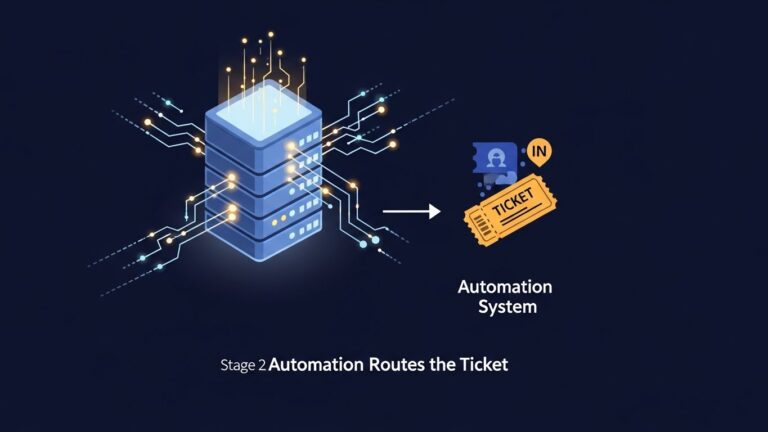
Once the system understands what’s needed, automated help desk workflows execute the appropriate actions. Tickets route to the correct team based on category, skills required, or workload balancing. Automated responses acknowledge receipt and provide immediate information like estimated response times or relevant knowledge base articles. Escalation to Tier 2 happens automatically when Tier 1 criteria aren’t met or complexity exceeds thresholds. Knowledge base article suggestions appear based on ticket content, helping users self-solve. Ticket closure occurs automatically when predefined resolution conditions are met, such as password reset confirmation.
Key Benefits of Help Desk Automation
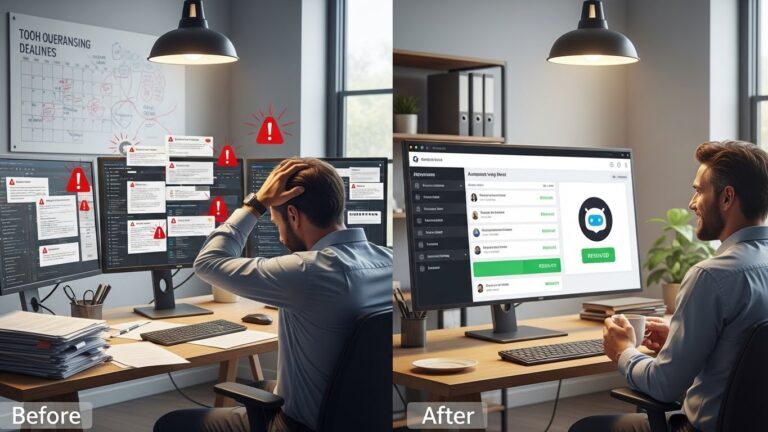
The benefits of help desk automation extend across your entire support operation, impacting agents, managers, and end users.
Faster Response Times transform user experience through instant ticket routing that eliminates manual triage delays. Auto-responses provide immediate acknowledgment and set expectations, reducing anxiety about whether requests were received. Reduced queue times result from efficient distribution and self-service deflection of simple requests. Users who previously waited hours for basic help now get instant resolutions.
Reduced Agent Workload allows your team to focus on work that matters. Fewer repetitive tickets reach agent queues when automation handles password resets, access requests, and FAQ inquiries. Less manual triage means agents spend time solving problems instead of categorizing and routing tickets. Focus on complex issues improves as agents handle escalations and nuanced situations that require human judgment and expertise.
Cost Savings compound over time as efficiency improves. Each agent handles more tickets per day without working harder, reducing cost per resolution. Lower operational overhead comes from streamlined processes that require less supervision and manual intervention. Reduced need to scale headcount means you can absorb growth without proportional hiring, a critical advantage when support volumes increase 20-30% annually.
Better SLA Compliance protects your service commitments and team reputation. Automated timers track every ticket against service level agreements without manual monitoring. Escalation rules ensure tickets don’t fall through cracks when agents are busy or unavailable. Fewer missed deadlines result from proactive alerts and automated reassignment when SLAs are at risk.
Improved Employee and Customer Experience drives satisfaction on both sides of the help desk. Faster resolutions mean users spend less time waiting and more time being productive. Consistent answers eliminate the lottery of getting different responses depending on which agent handles your ticket. 24/7 self-service availability through automated portals and chatbots means users get help outside business hours without waiting until morning.
What Can Be Automated in a Help Desk?
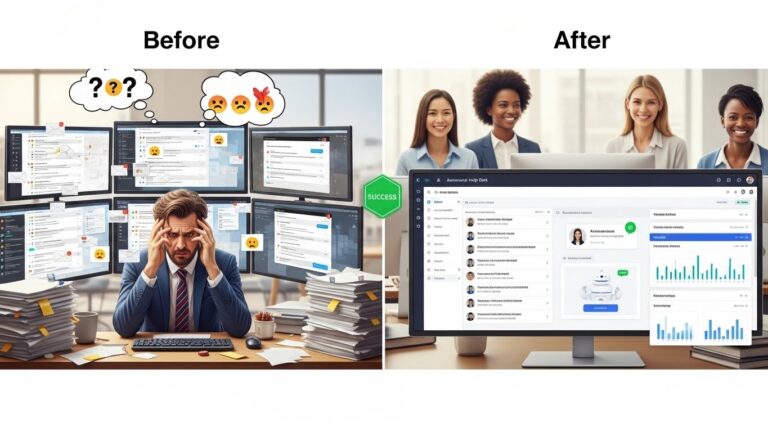
Modern help desk automation focuses on automating tasks and workflows, not replacing people. The following help desk automation examples represent the highest-impact opportunities across IT and customer support operations.
Ticket Routing & Categorization
Intelligent routing ensures every ticket reaches the right destination without manual sorting. Auto-tagging applies consistent labels based on ticket content, making it easy to track issues and generate reports. Department-based routing sends tickets to specialized teams such as IT, facilities, HR, or finance based on request type. Priority assignment evaluates factors like user role, issue severity, and business impact to determine urgency. Skill-based assignment matches tickets to agents with specific expertise, improving first-contact resolution rates.
For example, billing tickets automatically route to the finance team while technical issues go to IT Tier 1 support. This eliminates the common problem of tickets bouncing between departments before reaching the right resolver.
Password Resets
Password resets represent one of the most automated use cases in enterprise help desks, often accounting for 20-30% of total ticket volume. Self-service portals allow users to reset passwords through identity verification without creating tickets. Identity verification through security questions, SMS codes, or email links ensures security while maintaining convenience. Instant resolution means users regain access in minutes instead of waiting hours for agent availability.
Automating this single workflow can dramatically reduce ticket volume while improving user satisfaction. Users get immediate help, and agents focus on problems that actually require their skills.
Employee Onboarding & Offboarding
HR and IT collaboration becomes seamless through structured workflows that handle identity lifecycle events. Account setup requests trigger automatically when HR systems detect new hires, creating email accounts, assigning licenses, and provisioning access. Hardware provisioning workflows generate equipment requests, track delivery, and confirm receipt. Access removal during offboarding ensures security by systematically disabling accounts, revoking permissions, and retrieving company assets. Checklist-based workflows ensure no steps are missed during transitions.
These workflows reduce onboarding time from days to hours while ensuring consistent security practices across the organization.
SLA Alerts & Escalations
Proactive SLA management prevents breaches before they damage service levels or customer relationships. Automated reminders notify agents when tickets approach SLA thresholds, prompting action before deadlines pass. Escalation rules reassign tickets to senior staff or managers when initial responders don’t resolve issues within timeframes. Priority changes automatically upgrade ticket urgency as SLA deadlines approach. Manager notifications provide visibility into at-risk tickets without requiring constant monitoring.
This automation turns SLA compliance from a reactive scramble into a proactive process that protects your service commitments.
Knowledge Base Suggestions
Intelligent content recommendations reduce ticket volume by helping users find answers independently. Auto-suggest articles appear based on ticket content or search terms, surfacing relevant solutions instantly. In-chat recommendations provide contextual help during conversations, allowing agents to share articles without searching. Reduced agent involvement occurs when users self-solve after finding knowledge base content. Continuous learning from ticket data improves recommendations over time as the system identifies which articles resolve which issues.
This creates a virtuous cycle where your knowledge base becomes more effective as your automation learns from actual support interactions.
Notifications & Follow-Ups
Automated communication keeps users informed without requiring agent intervention. Status updates notify requesters when their tickets progress through resolution stages. Resolution confirmations ask users to verify that their issues are resolved before closing tickets. CSAT surveys automatically deploy after ticket closure to measure satisfaction while experiences are fresh. Reminder nudges follow up on pending actions like providing additional information or testing solutions.
These touchpoints improve perceived responsiveness even when actual resolution takes time, managing expectations and reducing follow-up inquiries.
Help Desk Automation vs Service Desk Automation
The terms help desk and service desk are often used interchangeably, but they represent different scopes of support operations.
Help desk focuses on user issues, break-fix support, and immediate problem resolution. It serves both customers and employees with reactive support for technical problems, account issues, and basic requests. The primary goal is restoring normal operation as quickly as possible.
Service desk encompasses broader IT service management beyond immediate issues. It includes asset management for tracking hardware and software across the organization. Change requests follow formal processes for modifying systems and configurations. Incident and problem management distinguish between symptoms and root causes. Service catalog management provides structured request fulfillment for standardized services.
Many modern platforms support both help desk and service desk automation capabilities. The distinction matters less than ensuring your automation strategy covers the specific processes your organization needs. Small to mid-size companies often start with help desk automation and expand to full service desk capabilities as their IT operations mature.
AI in Help Desk Automation
Artificial intelligence has become central to help desk automation in 2025, but it’s important to understand what AI actually does versus the hype surrounding it.
Chatbots serve as first-line triage for common questions and simple requests. They handle FAQs about business hours, policies, or product features without human involvement. Simple requests like checking ticket status or updating contact information complete through conversational interfaces. First-line triage routes complex issues to human agents while resolving straightforward problems instantly.
Virtual Agents represent more sophisticated AI that handles multi-step conversations requiring context and memory. Identity-aware responses customize interactions based on who’s making the request and their permissions. Integration with backend systems allows virtual agents to actually complete actions like provisioning access or updating records, not just provide information.
Natural Language Processing powers the intelligence behind understanding user intent from unstructured text. It categorizes tickets accurately even when users describe problems in non-technical language. Detecting urgency or frustration helps prioritize tickets based on emotional tone, ensuring upset users get immediate attention.
Predictive Routing uses machine learning to optimize ticket assignment. The system assigns tickets to the best agent based on skills, past performance, and current workload. Forecasting workload helps managers anticipate busy periods and adjust staffing proactively. Improving first-contact resolution happens as the system learns which agents resolve which issues most effectively.
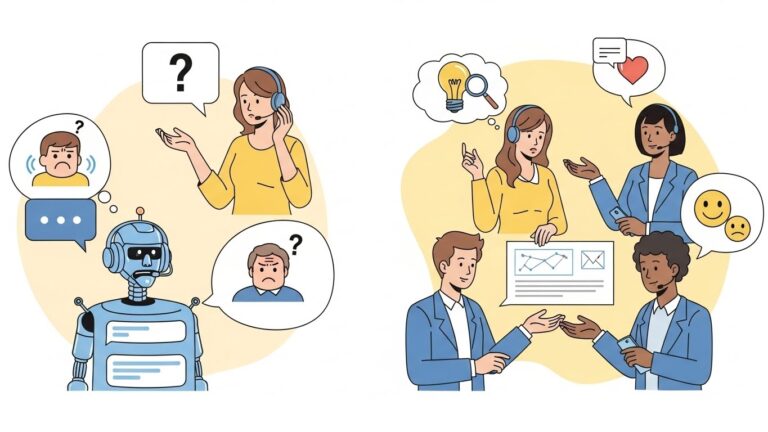
The critical point about AI in help desk automation is that it augments humans rather than replacing them. AI handles the repetitive pattern-matching and data processing that computers excel at, while human agents apply judgment, empathy, and creative problem-solving to complex situations.
Top Help Desk Automation Tools & Platforms
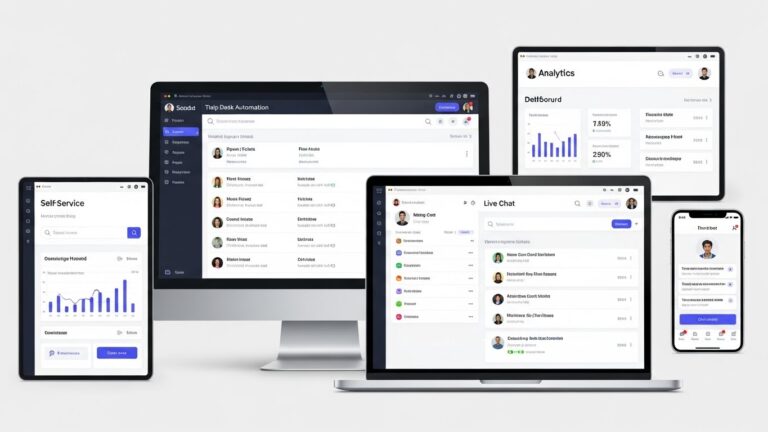
Selecting help desk automation tools depends on your specific requirements, existing infrastructure, and the types of automation you prioritize. The following platforms represent different approaches to automation, each with distinct strengths.
Zendesk provides comprehensive customer service automation with strong multi-channel support. Key automation features include AI-powered ticket routing, automated workflows through triggers and automations, pre-built chatbot templates, and extensive integration marketplace. It’s best for companies prioritizing customer-facing support with omnichannel requirements across email, chat, phone, and social media.
ServiceNow offers enterprise IT service management with deep automation capabilities. Key features include IT workflow automation, AI-driven incident management, service catalog automation, and integration with enterprise systems. It’s best for large enterprises with complex IT operations requiring sophisticated service desk capabilities beyond basic ticketing.
Freshdesk balances automation capabilities with ease of use and affordability. Key features include scenario-based workflow automation, AI-powered chatbots, intelligent ticket assignment, and built-in knowledge base. It’s best for growing companies that need robust automation without enterprise complexity or cost.
Jira Service Management integrates incident management with development workflows. Key features include automation rules builder, integration with Jira Software, AI-powered virtual agents, and DevOps-friendly workflows. It’s best for technical teams and IT departments that work closely with development organizations.
Microsoft Power Automate with Teams leverages existing Microsoft 365 infrastructure. Key features include no-code workflow builder, deep Teams integration, connections to hundreds of services, and approval workflows. It’s best for organizations already invested in Microsoft ecosystem looking to automate processes without separate ticketing platforms.
Process Shepherd focuses on guided workflow automation for help desk agents. Key features include interactive decision trees that guide agents through complex processes, drag-and-drop workflow builder requiring no coding, embedded knowledge within each process step, and integration with existing ticketing systems. It’s best for organizations that want to standardize agent workflows and reduce training time while working within current help desk platforms.
When evaluating tools, prioritize workflow automation capabilities, AI ticket classification accuracy, knowledge base automation features, SLA management and reporting, and integrations with your existing technology stack. No single platform excels at everything, so understanding your specific automation priorities drives better selection decisions.
Challenges & Best Practices
Implementing help desk automation successfully requires navigating common pitfalls while following proven strategies.
Challenges to Consider
Over-Automation Risks occur when organizations automate too much too quickly. Poor user experience results from forcing simple issues through complex automation that takes longer than human handling. User frustration builds when automation misunderstands requests or provides irrelevant responses. Complex issues get mishandled when automation lacks the sophistication to recognize when human judgment is required.
Change Management often derails automation initiatives even when the technology works perfectly. Agent resistance emerges when staff fear job security or dislike changing familiar processes. Training needs extend beyond system operation to understanding when automation helps versus when human intervention is better. Process redesign challenges arise because automation reveals inefficiencies in existing workflows that must be addressed for automation to succeed.
Data Quality determines automation effectiveness more than algorithm sophistication. Bad inputs create bad automation when ticket categorization, tagging, or documentation is inconsistent. Inconsistent tagging prevents machine learning from identifying patterns. Poor documentation means knowledge base suggestions provide outdated or incorrect information.
Best Practices for Success
Start Small with high-impact, low-risk automation opportunities. Automate high-volume tasks first, such as password resets or ticket routing, where benefits are immediate and measurable. Prove value with quick wins before tackling complex workflows that require significant process changes.
Keep Humans in the Loop by designing automation that escalates to people when appropriate. Build handoff points where agents can take over from automation seamlessly. Empower agents to override automation when they recognize situations requiring human judgment.
Review Workflows Regularly because business needs and user behaviors change over time. Monitor automation performance metrics to identify bottlenecks or failure points. Gather feedback from both agents and end users about automation effectiveness. Iterate on workflows based on real usage data rather than assumptions about how processes should work.
Invest in Data Quality before expecting sophisticated automation to succeed. Standardize ticket categorization and tagging practices across your team. Build comprehensive knowledge base content that automation can reference and recommend. Clean historical data to improve machine learning accuracy.
Balance Efficiency with Experience by measuring user satisfaction alongside operational metrics. Faster resolution times don’t matter if users are frustrated by the experience. Track metrics like first-contact resolution, user satisfaction scores, and agent sentiment to ensure automation improves the overall support experience.
FAQs About Help Desk Automation
What is service desk automation?
Service desk automation extends help desk automation to include broader IT service management processes such as change management, asset tracking, and problem management. While help desk automation focuses on resolving individual issues and requests, service desk automation encompasses the full lifecycle of IT services including strategic initiatives, preventive maintenance, and continuous improvement.
Will AI replace IT help desk agents?
AI will not replace IT help desk agents but will fundamentally change what they do. Automation handles repetitive, rule-based tasks that don’t require human judgment, freeing agents to focus on complex problems, relationship building, and situations requiring empathy or creative thinking. The role evolves from task executor to problem solver and user advocate, which typically leads to higher job satisfaction rather than job elimination.
What are the four types of automation?
The four types of automation commonly referenced in help desk contexts are basic automation using simple rules and triggers, process automation that orchestrates multi-step workflows across systems, integration automation that connects different tools and data sources, and intelligent automation that uses AI and machine learning to make decisions based on patterns and predictions. Modern help desk automation typically combines all four types to varying degrees.
Is a help desk the same as CRM software?
A help desk is not the same as CRM software, though they share some functionality. Help desk platforms focus on issue resolution, ticket management, and support workflows for both internal employees and external customers. CRM software focuses on managing customer relationships, sales processes, and marketing campaigns. Many organizations use both systems integrated together so customer service interactions inform sales and marketing efforts while sales data provides context for support teams.
Cost, ROI, and Performance Impact
Financial considerations often drive automation decisions.
Is help desk automation expensive to implement?
Costs vary dramatically based on scope and approach. Simple chatbots or self-service portals might cost a few thousand dollars and implement in weeks. Comprehensive automation across all help desk functions could cost tens or hundreds of thousands with multi-month implementations.
However, most organizations start small and expand gradually, spreading costs over time and funding expansion with savings from early automation successes.
What kind of ROI can businesses expect from help desk automation?
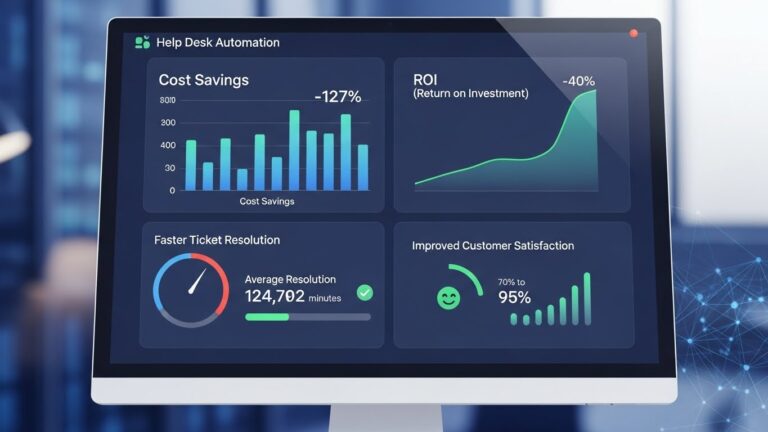
ROI studies show typical payback periods of 6-18 months for help desk automation, with ongoing savings continuing indefinitely. Organizations commonly see 30-50% reduction in routine ticket handling costs, 40-60% decrease in backlog, improved user satisfaction scores by 20-30%, and agent productivity increases of 25-40% for complex work.
These benefits compound over time as automation is expanded and refined.
How much can help desk automation reduce support costs?
Cost reduction varies by organization, but 25-40% overall support cost reduction is typical within the first year. This comes from reduced agent hours per ticket, decreased overtime and peak staffing needs, lower training costs as processes become more standardized, and reduced impact of agent turnover.
How much faster can tickets be resolved with automation?
For tickets that automation can handle entirely, resolution time drops from hours or days to seconds or minutes—a 95%+ improvement. For tickets requiring human agents, resolution still improves 20-40% through automated information gathering, better routing, and agent-assist tools.
Does help desk automation improve customer satisfaction scores?
Generally yes, assuming implementation is done well. Users appreciate instant responses to simple requests, consistent service quality, and self-service options for when they prefer not to wait. Organizations typically see customer satisfaction (CSAT) improvements of 15-30% after implementing comprehensive automation.
However, poorly implemented automation that frustrates users with rigid processes or incorrect routing can harm satisfaction. Quality implementation is key.
How does automation help with compliance and risk management?
Help desk automation strengthens compliance through consistent process execution (no skipped steps), complete documentation of all actions taken, automated enforcement of security policies, audit trails for all ticket handling, and alerts for suspicious activities or policy violations.
For regulated industries, these compliance benefits often justify automation investment even before considering efficiency gains.

Help Desk Automation by Industry and Use Case
Different industries leverage automation in ways tailored to their specific needs.
How does help desk automation work in healthcare?
Healthcare IT faces unique challenges—24/7 operations with no tolerance for downtime, strict HIPAA compliance requirements, and life-critical systems. Help desk automation in healthcare focuses on rapid response to prevent patient care disruption, automated compliance verification for all access requests, self-service that doesn’t require users to log into multiple systems, and integration with clinical systems for context-aware support.
Healthcare organizations also use automation extensively for user provisioning and access management due to frequent staff turnover and strict audit requirements.
How does help desk automation benefit eCommerce businesses?
For e-commerce, every minute of system downtime directly costs revenue. Help desk automation provides proactive monitoring that detects and often resolves issues before they impact sales, rapid response to payment or checkout problems, automated scaling of support during peak shopping periods like holidays, and 24/7 support for customers and internal staff across time zones.
E-commerce companies often see particularly strong ROI from automation due to the direct revenue impact of improved uptime.
Can automation reduce disruptions in critical environments?
Yes. Help desk automation is especially valuable in environments where disruption is expensive or dangerous—manufacturing facilities, transportation operations, energy production, or data centers.
Proactive monitoring, automated remediation of common issues, and rapid response to alerts all minimize disruption duration and business impact.
How does help desk automation support regulated industries?
Regulated industries like finance, healthcare, and government benefit from automation’s consistent process execution and complete documentation. Every action is logged, policies are applied uniformly, required approvals are obtained automatically, and audit trails are maintained without agent effort.
This reduces compliance risk while actually making compliance less burdensome for staff.

Should Your Organization Use Help Desk Automation?
Making the decision requires honest assessment of your situation.
When should a company consider help desk automation?
Consider automation when you’re experiencing persistent ticket backlogs despite adequate staffing, agents spending most time on repetitive tasks rather than complex problems, inconsistent service quality across different agents or shifts, inability to provide 24/7 support with current resources, rapid business growth straining IT support capacity, user complaints about slow response times, or high IT staff turnover due to burnout from repetitive work.
If several of these apply, automation deserves serious evaluation.
Is help desk automation worth it for most organizations?
For most organizations with more than 50 employees or those experiencing rapid growth, help desk automation provides strong positive ROI. The benefits—improved efficiency, better user experience, cost reduction, and increased IT team satisfaction—typically outweigh implementation costs within the first year.
Very small organizations (under 20-30 employees) might find that manual processes remain adequate, but even small teams can benefit from targeted automation like self-service password resets or chatbots for common questions.
Do benefits of help desk automation outweigh the downsides?
For thoughtfully implemented automation, yes. The key is starting with high-impact, low-risk automation and expanding gradually based on results. This approach maximizes benefits while minimizing risks associated with poor implementation.
Organizations that try to automate everything immediately or use automation as an excuse to cut corners on service quality often experience disappointing results. Those that view automation as a tool to enhance—not replace—human capability see excellent outcomes.
Here’s what organizations should consider before automating their help desk
Before committing to automation, consider current ticket volume and types (what’s actually worth automating?), available budget for implementation and ongoing maintenance, technical capability of your team to implement and maintain automation, integration requirements with existing systems, user readiness for self-service and automated support, and organizational change management capacity.
Also consider modern solutions like guided workflow platforms. Tools like Process Shepherd ensure that when automation hands off to human agents, those agents have step-by-step guidance through complex processes. This bridges the gap between fully automated simple tasks and entirely manual complex issues, providing consistency even for scenarios that require human judgment.
The best automation strategies combine self-service and chatbots for simple issues, guided workflows for complex processes requiring human involvement, and traditional high-touch support for situations requiring empathy and creative problem-solving.
Conclusion
Help desk automation represents a fundamental shift in how IT support operates—from purely reactive problem-solving to proactive issue prevention, from agents handling every ticket manually to strategic deployment of human expertise where it matters most.
The organizations seeing greatest success treat automation not as a way to cut costs and reduce headcount, but as a means to elevate their entire IT operation. Agents freed from repetitive tasks become strategic advisors. Users get faster, more consistent support. And IT leaders gain visibility and control they’ve never had before.
Start your automation journey by identifying the routine tasks consuming the most agent time, building simple automation for these high-volume issues, measuring results carefully, and expanding gradually based on what works.
Remember that automation works best when combined with tools that support human agents in handling complex scenarios. Guided workflow platforms ensure consistency even for issues that require human judgment, bridging the gap between simple automation and traditional support.
The future of help desk support isn’t fully automated or entirely manual—it’s a thoughtful blend of automation handling what it does best and humans focusing on what requires uniquely human capabilities. Organizations that achieve this balance will deliver superior IT support at lower cost while building more satisfied, capable IT teams.
FAQ
Q: What is help desk automation?
A: Help desk automation uses technology to handle repetitive IT support tasks without manual intervention from support agents. This includes automatically resolving common requests like password resets, routing tickets to appropriate specialists, providing self-service options through knowledge bases and chatbots, and orchestrating multi-step workflows. The goal is freeing IT staff from routine work so they can focus on complex problems requiring human expertise. Help desk automation doesn’t replace human agents—it makes them more effective by handling predictable tasks automatically while ensuring humans address situations requiring judgment, empathy, and creative problem-solving.
Q: How much does help desk automation cost?
A: Help desk automation costs vary widely based on scope and approach. Simple implementations like basic chatbots or self-service portals might cost $3,000-$10,000 with quick deployment. Comprehensive automation across all help desk functions could cost $50,000-$200,000+ with multi-month implementations. However, most organizations start small and expand gradually, spreading costs over time. Typical ROI shows payback periods of 6-18 months through reduced agent hours per ticket, decreased overtime needs, and improved efficiency. Organizations commonly see 25-40% overall support cost reduction within the first year, making the investment worthwhile for most organizations with 50+ employees.
Q: Does help desk automation replace IT support agents?
A: No, help desk automation shifts what IT agents do rather than eliminating their jobs. Automation handles routine, repetitive tasks like password resets, basic troubleshooting, and ticket routing, freeing agents to focus on complex technical problems, security incidents requiring investigation, strategic IT projects, user training and consultation, and situations requiring empathy and emotional intelligence. Organizations implementing automation typically don’t reduce headcount—they redeploy those hours to important work that was previously neglected. The result is more capable IT teams doing more valuable work, not fewer jobs.
Q: What tasks can be automated in a help desk?
A: Common help desk tasks suitable for automation include password resets and account unlocks, software installation and updates, permission and access changes, ticket intake, categorization, and routing, basic troubleshooting for frequent issues, system monitoring and proactive alerts, status updates and user notifications, knowledge base article suggestions, routine security checks, and multi-step onboarding/offboarding workflows. Tasks requiring complex judgment, creative problem-solving, significant empathy, security incident investigation, or multi-system troubleshooting typically still require human agents. The best automation strategies combine fully automated simple tasks with guided workflows that support agents handling complex scenarios.
Q: How do I know if my organization needs help desk automation?
A: Consider help desk automation if you experience persistent ticket backlogs despite adequate staffing, agents spending most time on repetitive tasks like password resets, inconsistent service quality across different agents or shifts, inability to provide 24/7 support with current resources, rapid business growth straining IT support capacity, user complaints about slow response times, high IT staff turnover due to burnout, or difficulty meeting service level agreements. If several of these apply, automation likely provides strong ROI. Even small organizations benefit from targeted automation like self-service portals or chatbots for common questions. Start by identifying your highest-volume routine tasks and automate those first.

Nola Neven
Nola Neven is a content strategist in the CX space, focused on turning complex operational problems into clear, credible content that people actually read, reference, and share.
Her work sits where content and operations meet. She spends her time understanding how contact centers and help desks really function day to day, where workflows break down, where teams rely on workarounds, and where systems quietly slow everything down.



