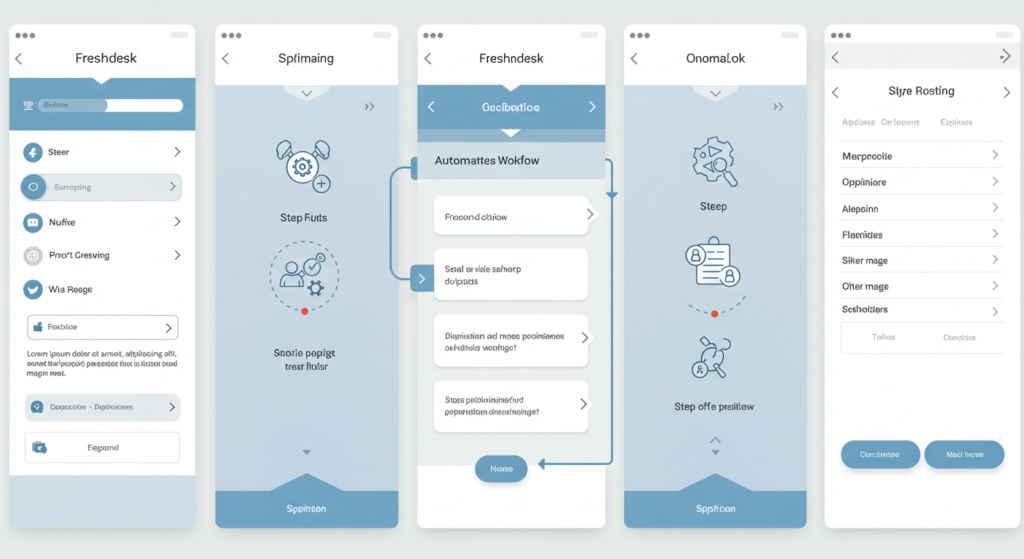
Freshdesk decision tree makes managing customer queries a whole lot smoother. But let’s be honest—sometimes you wish you could take things up a notch, especially when it comes to guiding your agents through trickier issues.
- Good News: There Is a Way!
- Freshdesk Decision Tree: Great in Theory, But…
- Meet Process Shepherd: Your Guided Workflow Powerhouse
- Setting Up Advanced Freshdesk Decision Tree with Process Shepherd
- Why Choose Process Shepherd for Your Freshdesk Decision Tree?
- Real-World Success Stories
- Ready to Build a Customer Service Powerhouse?
Maybe you’ve explored Freshdesk’s built-in decision tree features, thinking, “This could be cool…” And while Freshdesk’s native tools are a decent starting point, have you ever felt like your decision tree is a little… flat? Like it’s missing the depth and dynamism needed to handle complex customer journeys like a pro?
You’re not alone! Many Freshdesk users hit a wall when they realize the standard decision tree is more like a basic flowchart than a truly interactive, intelligent guide. It can feel limited, especially during peak inquiry times or when onboarding new agents. You might be wondering, “There has to be a way to make my Freshdesk decision tree more… alive.”
Good News: There Is a Way!
You don’t need to ditch Freshdesk—because, let’s be real, we love Freshdesk! The solution lies in supercharging it with the right partner: Process Shepherd. Think of Process Shepherd as the fertilizer for your Freshdesk decision tree, transforming it from a simple sapling into a mighty oak, ready to weather any customer service storm.
Freshdesk Decision Tree: Great in Theory, But…
The idea of a Freshdesk decision tree is fantastic—visually mapping out customer journeys, guiding agents through troubleshooting steps, and ensuring consistent responses. Sounds like a dream, right? And Freshdesk provides basic tools to get you started. The Freshdesk decision tree app is designed to streamline customer support by guiding agents through troubleshooting steps based on reported issues, ensuring efficient and effective resolutions automatically.
How to Set Up a Decision Tree in Freshdesk for Automation
How do I set up a decision tree in Freshdesk to automate support processes? Setting up a basic decision tree in Freshdesk involves several steps within their native platform:
Access Workflow Automator: Navigate to Admin → Workflow Automator in your Freshdesk instance
Create New Workflow: Click “New Rule” and select the trigger conditions (ticket creation, status change, etc.)
Define Decision Points: Set up conditional logic using “If-Then” statements based on ticket properties
Configure Actions: Assign automatic responses, ticket routing, or field updates based on conditions
Test and Activate: Run test scenarios before enabling the workflow for live tickets
However, this native approach has significant limitations when it comes to creating truly dynamic and interactive decision trees.
But here’s the issue: The built-in decision tree functionalities can feel a bit… basic.
Common Challenges with the app: Freshdesk Decision Tree:
Limited Branching Logic – Simple yes/no paths work for minor issues, but real customer queries are rarely that straightforward.
Static, Unengaging Guides – A static tree doesn’t adapt to agent input in a truly interactive way, making it feel more like a checklist than a helpful guide.
Lack of Integration Depth – Connecting Freshdesk decision trees seamlessly with other Freshdesk features and external systems can be tricky, limiting workflow automation.
Analytics Blind Spots – Understanding how agents use decision trees, identifying bottlenecks, and optimizing for better performance can be a guessing game.
So, while the concept of a decision tree is appealing, its execution can leave you wanting more. You need something that takes guided processes to the next level.
Meet Process Shepherd: Your Guided Workflow Powerhouse
This is where Process Shepherd comes in like a superhero for your customer service team. Process Shepherd isn’t just about decision trees—it’s about guided workflows. When integrated with Freshdesk, it enhances your decision trees and transforms your entire customer service process.
Templates and Quick-Start Solutions
Are there templates available for creating Freshdesk decision trees? While Freshdesk offers some basic workflow templates, Process Shepherd takes this concept much further with an extensive library of pre-built, industry-specific templates designed specifically for customer service scenarios:
Customer Service Template Library:
Technical Support Troubleshooting: Step-by-step guides for common technical issues
Billing Inquiry Resolution: Comprehensive workflows for payment and billing concerns
Product Return & Exchange: Complete processes for handling returns and exchanges
Escalation Management: Clear paths for when and how to escalate complex issues
New Customer Onboarding: Guided workflows for setting up new accounts
Complaint Resolution: Structured approaches to handling customer complaints
Industry-Specific Templates:
SaaS Support Workflows: Templates tailored for software support scenarios
E-commerce Customer Service: Decision trees optimized for online retail support
Financial Services Support: Compliance-aware workflows for financial institutions
Healthcare Customer Service: HIPAA-compliant decision tree templates
These templates aren’t just static flowcharts—they’re dynamic, interactive workflows that adapt based on customer data, ticket history, and real-time inputs. Unlike basic Freshdesk templates, Process Shepherd’s templates include:
Conditional Logic: Smart branching based on multiple variables
Data Integration: Pull customer information from Freshdesk automatically
Customizable Paths: Easily modify templates to match your specific processes
Performance Analytics: Built-in tracking to measure template effectiveness
How Process Shepherd Elevates Freshdesk Decision Trees:
Decision Trees on Steroids
Forget basic branching—Process Shepherd enables you to build complex, multi-layered decision trees that handle even the trickiest customer scenarios. With dynamic branching, real-time data adaptation, and conditional logic, your workflows become truly intelligent and responsive.
Full Guided Workflows
Process Shepherd doesn’t just focus on decision points—it guides agents through the entire customer journey. From ticket triage to resolution and follow-ups, agents receive clear, visual, and interactive guidance. It’s like having a virtual expert coach available for every interaction.
Agent Empowerment & Training Revolution
New agents? Complex processes? No problem! Process Shepherd’s guided workflows, built upon powerful Freshdesk decision tree principles, make even intricate tasks easy to follow. Training time plummets, agent confidence soars, and even your newest recruits handle inquiries like seasoned pros.
The template-based approach means you can have new agents productive on day one, following proven workflows rather than learning through trial and error.
Consistency & Accuracy—Guaranteed
Say goodbye to inconsistent service. Process Shepherd ensures every agent follows the same best-practice workflows, delivering standardized, accurate information every time. Your customer experience becomes reliably excellent, boosting satisfaction and loyalty.
Data-Driven Optimization
With deep analytics on workflow performance, you can see exactly how agents use your Freshdesk decision tree-based workflows, identify bottlenecks, and refine processes based on real data—not guesswork.
Seamless Freshdesk Integration
Process Shepherd works within the Freshdesk interface, meaning agents don’t need to switch between systems. It’s a smooth, intuitive experience that enhances, not disrupts, their workflow.
Setting Up Advanced Freshdesk Decision Tree with Process Shepherd
Step-by-Step Implementation Guide
While setting up basic decision trees in Freshdesk native tools requires manual configuration of each workflow rule, Process Shepherd streamlines this process:
Quick Setup Process:
Choose Your Template: Select from dozens of pre-built customer service templates
Customize for Your Business: Modify decision paths, add your specific processes, and integrate your data sources
Connect to Freshdesk: Seamless integration pulls ticket data, customer history, and agent information
Deploy and Train: Launch workflows and provide agents with interactive training modules
Monitor and Optimize: Use real-time analytics to refine and improve your decision trees
Advanced Configuration Options:
Multi-Variable Decision Points: Create complex branching based on customer tier, issue type, urgency, and history
Dynamic Content: Display different information based on customer data pulled from Freshdesk
Escalation Triggers: Automatic escalation based on predefined criteria and decision outcomes
Integration Hooks: Connect with external systems, knowledge bases, and third-party tools
Template Customization Made Easy
Unlike the rigid structure of basic Freshdesk workflows, Process Shepherd’s templates are fully customizable:
Visual Editor: Drag-and-drop interface for modifying decision paths
Conditional Logic Builder: Point-and-click creation of complex business rules
Content Management: Easy updates to scripts, responses, and guidance text
Version Control: Track changes and roll back to previous template versions
Team Collaboration: Multiple team members can contribute to template development
Why Choose Process Shepherd for Your Freshdesk Decision Tree?
There might be other tools that claim to enhance Freshdesk decision tree capabilities, but Process Shepherd is different. It’s built from the ground up with guided workflows at its core, specifically designed to empower customer service teams.
The Process Shepherd Advantage:
Focus on Guided Workflows, Not Just Decision Trees – Process Shepherd understands decision trees are just part of the bigger picture.
Extensive Template Library – Start with proven templates rather than building from scratch
Unmatched Flexibility & Customization – Create complex, dynamic workflows far beyond what basic Freshdesk decision trees allow.
Agent-Centric Design – Built with agents in mind, making workflows intuitive, easy to follow, and genuinely helpful.
Proven Results in BPO & Customer Service – Trusted by leading BPOs and customer service organizations to drive efficiency, improve quality, and reduce costs.
Real-World Success Stories
Case Study: E-commerce Support Transformation
A major e-commerce company replaced their basic Freshdesk decision tree setup with Process Shepherd templates:
Before Process Shepherd:
15-minute average resolution time for simple inquiries
Inconsistent responses across agents
3-week training period for new agents
Limited visibility into workflow effectiveness
After Process Shepherd Implementation:
6-minute average resolution time using optimized templates
95% consistency in responses across all agents
3-day training period using interactive template walkthroughs
Real-time analytics showing 40% improvement in first-call resolution
Case Study: SaaS Support Optimization
A software company used Process Shepherd’s technical support templates:
Template Customization: Modified SaaS support templates to match their specific product features
Integration Benefits: Automatic pulling of customer subscription data into decision workflows
Results: 60% reduction in escalations, 35% improvement in customer satisfaction scores
Ready to Build a Customer Service Powerhouse?
Stop settling for a basic Freshdesk decision tree that just scratches the surface. Unleash the full potential of your Freshdesk helpdesk with Process Shepherd and transform your customer service from good to extraordinary.
Instead of spending weeks building decision trees from scratch in Freshdesk’s native tools, start with proven templates that have been refined through thousands of customer interactions. Customize them to your specific needs, deploy them quickly, and start seeing results immediately.
Visit Process Shepherd today to see how their integration can revolutionize your Freshdesk decision tree strategy. Don’t just branch out— build a customer service empire!
Ready to see it in action? Grab a free trial of Process Shepherd and explore our complete template library. Watch how advanced decision trees transform your Freshdesk experience from day one!



