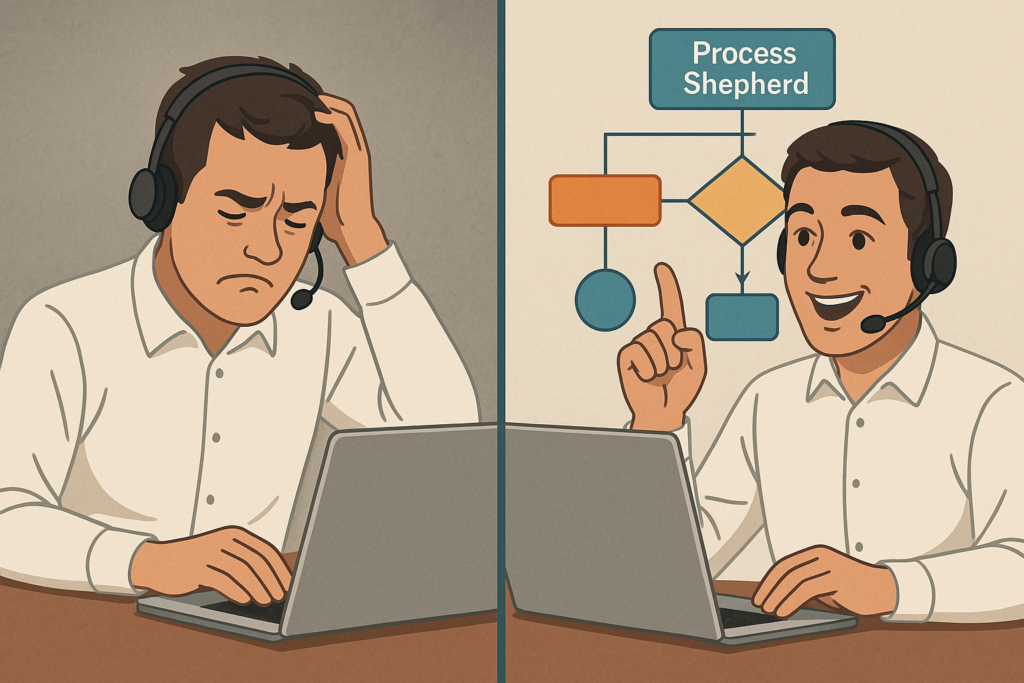
Most organizations use the wrong workflow type for their business processes, leading to inefficiencies and compliance issues. Understanding the 4 foundational categories transforms how Process Shepherd’s guided workflows create consistent, measurable processes that save time while boosting efficiency across complex tasks and customer service operations.
- Guided Workflows vs Automatic Workflows in Complex Processes
- Industries Using Guided Workflows for Complex Tasks
- The 4 Foundational Guided Workflow Types for Business Processes
- AI-Enhanced Guided Workflows for Complex Business Processes
- Security Considerations for Guided Workflows in Complex Processes
- Implementation and Configuration of Guided Workflows for Business Processes
- Why Guided Workflows Outperform Traditional Tools for Complex Tasks
Guided Workflows vs Automatic Workflows in Complex Processes
The fundamental difference between guided workflows and automatic workflows determines success in complex processes and customer service environments. A guided workflow requires human decision-making at key points, while automatic workflows run without intervention. This distinction is crucial for choosing the right approach for your business processes.
Guided workflows provide structured prompts and decision trees for users, allow judgment calls and exception handling in complex tasks, adapt to complex processes requiring human insight, and maintain accountability through oversight at critical steps. They excel when users access configuration information through integrated software while following defined procedures to save time and ensure high-quality work.
Automatic workflows execute predefined rules without human input to complete processes automatically, handle repetitive, predictable tasks efficiently to save time, run 24/7 without supervision, but risk errors when encountering unexpected scenarios requiring user interpretation of configuration information.
Process Shepherd specializes in guided workflows, combining structured processes with human flexibility—ideal for organizations where complex tasks require nuanced responses while reducing extensive training requirements. The software enables users to create workflows that enhance efficiency and deliver consistent, high-quality work.
Industries Using Guided Workflows for Complex Tasks
Guided workflows are particularly effective in industries where human expertise must be combined with standardized business processes to ensure consistent, high-quality outcomes while reducing training requirements across complex tasks.
Healthcare professionals use guided workflows for patient diagnosis, treatment protocols, and emergency response procedures. These workflows help medical staff complete complex tasks systematically while accessing critical configuration information through integrated software, ensuring defined procedures are followed even in high-pressure environments to save time and maintain accuracy.
Financial Services banks and insurance companies implement guided workflows for loan processing, claims handling, and compliance procedures. These workflows help agents navigate complex processes while accessing customer account details securely, enabling them to complete transactions efficiently while following defined procedures across multiple software systems.
IT Support and Helpdesks technical support teams use guided workflows for troubleshooting, incident resolution, and server maintenance. These workflows standardize complex processes across different software environments, allowing new users to handle complex tasks without extensive training while following established procedures that save time and resolve issues effectively.
Contact Centers customer service representatives use guided workflows
They use it to handle inquiries, complaints, and sales processes. These workflows ensure consistent execution while allowing agents to access relevant account information and follow defined procedures for each interaction type, reducing the time needed to complete complex tasks effectively while maintaining high-quality work standards.
Field Services maintenance, repair, and installation teams rely on guided workflows accessed through mobile software to ensure consistent service delivery. These workflows help technicians complete complex tasks correctly the first time using embedded equipment documentation and configuration information, reducing callbacks and improving customer satisfaction while requiring less training.
Manufacturing and Quality Control production teams use guided workflows for assembly processes, quality inspections, and safety protocols. These workflows help users complete complex tasks accurately while maintaining compliance standards across different production software and equipment, ensuring consistent execution of defined procedures.
These industries benefit because guided workflows handle complex processes requiring human judgment, ensure compliance in regulated environments, adapt to variable scenarios while maintaining consistency, and improve training efficiency by reducing time requirements while maintaining high-quality work standards.
The 4 Foundational Guided Workflow Types for Business Processes
1. Sequential Guided Workflows: Step-by-Step Complex Tasks
Sequential guided workflows follow linear business processes where tasks follow strict, unbroken sequences—perfect for standardized procedures that help users complete complex tasks systematically using configuration information at each step.
Use cases include tiered ticket resolution processes that create a defined sequence from initial contact through resolution, new agent onboarding procedures that save time compared to traditional training methods, and customer service lifecycle management that ensures consistent execution.
Benefits include ensuring compliance with deadlines, reducing errors in repetitive complex tasks like password resets, and following defined procedures for consistent service delivery. The workflow can be configured to display relevant documentation and populate forms automatically, helping users focus on high-quality work execution.
Limitations include struggling with urgent issues requiring immediate configuration changes and delays when missing account information stalls progress through the defined sequence.
Example: A customer service process flows from ticket creation → initial diagnosis using account details → escalation → resolution → closure. Each step displays relevant documentation on screen and can be configured to populate forms with customer information, ensuring agents complete complex tasks following established procedures while maintaining accuracy.
2. Parallel Workflows: Managing Multiple Complex Processes
Parallel workflows enable multiple business processes to happen simultaneously, collaboratively merging at completion. This approach speeds up operations significantly when users can complete complex tasks concurrently without dependencies across multiple software systems.
Use cases include handling inbound calls, emails, and chats concurrently across multiple software platforms, simultaneously updating account information while resolving issues, and managing high-volume periods with distributed teams working on different aspects of complex processes.
Benefits include reducing average handling time following defined procedures, balancing workload during peak operations, and enabling teams to complete complex tasks efficiently while maintaining consistency. The system can be configured to display relevant information and documentation to support parallel execution.
Limitations include risk of duplicate efforts when multiple users work on the same account and requiring precise coordination across different software environments and stakeholders.
Example: A contact center managing holiday surges assigns teams to handle different channels simultaneously. Each team uses configured workflows that display relevant documentation and populate customer forms, ensuring efficient resource utilization while maintaining high-quality work standards across all parallel processes.
3. State-Machine Guided Workflows: Event-Driven Business Processes
State-machine guided workflows are driven by events, moving business processes through different “states” based on specific triggers—ideal for event-driven operations that utilize configuration information for decision-making in complex processes.
Use cases include escalating unresolved issues after deadline breaches using account priority levels, routing tasks based on priority following defined procedures, and managing VIP customer processes that require special handling.
Benefits include automatically prioritizing urgent issues, adapting to real-time needs using account information, and helping users complete complex tasks efficiently. The workflow can be configured to display relevant documentation and research information based on the current state.
Limitations include requiring clear escalation logic and potentially creating bottlenecks if state transitions aren’t properly defined in the system configuration.
Example: A VIP customer process flows from New → Assigned → Follow-Up → Resolved → Feedback. Each state displays relevant documentation and can populate forms with account details. The workflow tracks progress across integrated software with automatic state transitions based on defined variables and deadlines, ensuring consistent execution.
4. Rule-Based Guided Workflows: Automated Complex Tasks
Rule-based guided workflows make decisions automatically based on pre-defined logic using “If this, then that” rules, helping users complete complex processes efficiently while maintaining human oversight for exceptions in complex tasks.
Use cases include auto-assigning issues based on account keywords and configuration details, triggering deadline violation alerts for overdue processes, and spam filtering based on content analysis that saves time for agents.
Benefits include reducing manual triage by 60% following defined procedures, ensuring 24/7 consistency in operations, and enabling teams to complete routine processes automatically while focusing on complex tasks requiring human judgment.
Limitations include potentially mishandling complex, multi-issue scenarios and requiring regular updates to rules and procedures as business processes evolve.
Example: A helpdesk auto-response rule states IF account information contains “password reset” THEN send predefined instructions and create a ticket. The system displays relevant documentation to users and can populate forms with customer details, while complex issues route to human agents for guided workflow assistance.
AI-Enhanced Guided Workflows for Complex Business Processes
AI transforms guided workflows from static decision trees into intelligent, adaptive systems that learn and improve over time, delivering significant value to organizations by reducing training requirements while enhancing the execution of complex processes.
Predictive Routing analyzes historical account data to predict the most likely resolution path, pre-populating workflow branches with relevant configuration information and helping users complete complex tasks efficiently while following established procedures.
Dynamic Content Suggestions use machine learning algorithms to suggest relevant documentation, troubleshooting steps, or product information based on account details and current workflow context, ensuring users have optimal guidance for high-quality work execution.
Sentiment Analysis Integration monitors customer communication tone and automatically adjusts workflow paths to prioritize de-escalation techniques when frustration is detected, improving satisfaction outcomes while maintaining consistency in complex processes.
Performance Optimization identifies workflow bottlenecks and suggests procedure improvements by analyzing completion times, success rates, and user feedback across thousands of interactions, continuously refining guided workflow effectiveness and helping organizations save time.
Intelligent Escalation determines optimal escalation timing based on complexity, account value, and resource availability, ensuring high-priority issues receive appropriate attention without unnecessary delays while maintaining focus on efficient execution.
Process Shepherd leverages AI capabilities to provide embedded knowledge assistance and automated workflow suggestions, ensuring users always have the most relevant information and optimal process paths at their fingertips across all integrated software environments.

Security Considerations for Guided Workflows in Complex Processes
Mobile guided workflow implementations require specific security measures to protect sensitive business data and account information accessed by field teams and remote users through various software applications.
Critical security considerations include data encryption for all workflow data and account information both in transit and at rest on mobile devices, access control through role-based permissions ensuring users only access workflows and configuration information relevant to their responsibilities, and device management using solutions to control device access and remotely wipe information if equipment is compromised.
Offline security ensures workflows maintain security protocols for account data and sync securely when connectivity is restored, while authentication implements multi-factor authentication for workflow access through software, especially for sensitive procedures involving customer information.
Audit trails maintain comprehensive logs of workflow access, account interactions, and actions taken for compliance and security monitoring across all software environments, ensuring accountability and regulatory compliance while supporting research into process improvements.
Process Shepherd addresses these security concerns with enterprise-grade security features, ensuring that guided workflows and account data remain secure whether accessed from corporate networks or remote field locations through mobile software.
Implementation and Configuration of Guided Workflows for Business Processes
Successfully deploying guided workflows requires careful planning and configuration to ensure they enhance rather than complicate existing business processes. Organizations should focus on creating workflows that save time while maintaining high-quality work standards.
Process Mapping begins with documenting current business processes, identifying decision points where users need guidance to complete complex tasks effectively. This research phase helps create workflows that align with existing operations while eliminating bottlenecks.
User-Centric Design ensures workflows display information clearly on screen, populate forms automatically where possible, and provide embedded documentation that users can refer to during execution. The system should be configured to present relevant details without overwhelming users.
Integration Planning connects workflows to existing software systems, ensuring seamless data flow and consistent user experience across all tools and equipment. This includes configuring automatic population of account information and synchronization of configuration changes.
Testing and Validation involves piloting workflows with experienced users before full deployment, ensuring defined procedures work effectively in real environments and deliver expected benefits to the organization.
Stakeholder Collaboration engages all relevant parties in the design and implementation process, gathering feedback to refine workflows and ensure they meet operational requirements while supporting organizational goals.
Why Guided Workflows Outperform Traditional Tools for Complex Tasks
Process Shepherd transforms guided workflows into living systems that help users complete complex tasks more effectively by adapting to account changes automatically, measuring efficiency with analytics following defined procedures, enforcing compliance through mandatory steps without requiring extensive training, integrating seamlessly with existing software systems, and enabling teams to complete processes efficiently while maintaining consistency.
Unlike traditional tools, guided workflows provide real-time adaptability, comprehensive analytics, built-in compliance enforcement, seamless integration capabilities, and significant time savings while maintaining high-quality work standards across complex processes.
The software creates value by eliminating errors through structured execution, reducing bottlenecks in business processes, ensuring accuracy in complex tasks, and providing users with the tools they need to focus on delivering exceptional results. Organizations benefit from improved efficiency, enhanced consistency, and better outcomes across all operations.
Process Shepherd excels in environments where guided decisions matter more than automation, like customer service, IT helpdesks, or field service operations. By turning workflows into intuitive decision trees, it ensures consistency, reduces training requirements, and keeps teams focused on outcomes rather than process mechanics.
Ready to revolutionize your processes? Try Process Shepherd’s guided workflow builder and discover how decision trees simplify operations while boosting productivity and reducing training overhead across your organization. Create workflows that save time, enhance accuracy, and deliver consistent, high-quality work across all your business processes.



