Contact Center Automation: How Businesses Streamline Support at Scale
Contact center automation uses AI, machine learning, and automation software to handle routine customer service tasks such as call routing, chatbots, IVR interactions, and post-call work. It improves efficiency, reduces costs, and supports human agents with real-time guidance, helping contact centers resolve issues faster while maintaining consistent customer experiences.
Table of Contents
- What Is Contact Center Automation?
- Key Technologies Powering Contact Center Automation
- How Contact Center Automation Works in Practice
- Benefits of Contact Center Automation
- Where Contact Center Automation Alone Falls Short
- How Guided Process Automation Complements AI
- Choosing the Right Contact Center Automation Strategy
- Real-World Examples: Contact Center Automation in Action
- Common Concerns About Contact Center Automation
- Final Thoughts: The Future of Contact Center Automation

Customer expectations have changed dramatically over the past few years. People want instant answers, personalized service, and seamless experiences across every channel—whether they’re calling, chatting, emailing, or reaching out on social media. They expect support to be available 24/7, and they don’t want to wait.
For contact centers trying to meet these expectations, the traditional approach of simply hiring more agents isn’t sustainable. Costs escalate quickly, training takes time, turnover creates constant disruption, and maintaining consistent quality across a large team becomes increasingly difficult.
This is why organizations across industries are turning to contact center automation. By combining artificial intelligence, machine learning, and intelligent workflow software, businesses can automate routine tasks, support human agents more effectively, and improve operational efficiency without sacrificing the quality of customer interactions.
The key insight is that automation doesn’t replace people—it enhances what they can do. When implemented thoughtfully, contact center automation helps teams handle higher volumes, resolve issues faster, reduce errors, and deliver better customer experiences at scale.
What Is Contact Center Automation?
Contact center automation refers to the use of AI-powered technologies and software to automate repetitive customer service processes and assist agents during live interactions. Rather than requiring manual effort for every step of every interaction, automation handles the routine work while humans focus on what they do best.
These systems handle a wide range of tasks that previously required human attention. They route calls to the right agent based on customer needs and agent skills. They answer common questions through chatbots or interactive voice response systems. They provide agents with real-time guidance during complex conversations. They automate post-call work like creating summaries, updating customer records, and generating tickets.
The fundamental goal of contact center automation is reducing manual effort, eliminating errors that come from repetitive work, freeing agents to focus on complex, high-value conversations, and maintaining consistency and compliance across every interaction regardless of which agent handles it.
When done well, automation creates a better experience for everyone involved. Customers get faster, more consistent service. Agents spend their time on interesting problems rather than tedious tasks. Managers gain better visibility into operations and can make data-driven decisions. The business handles more volume without proportional increases in cost.
How Contact Center Automation Differs from Traditional Operations
Traditional contact centers rely heavily on human effort at every stage. Agents manually answer calls, search for information, type notes, update systems, and follow up with customers. Supervisors manually review quality, identify training needs, and adjust processes. Operations teams manually schedule staff and allocate resources.
This manual approach works at small scale but breaks down as volume grows. Quality becomes inconsistent as different agents handle situations differently. Training new agents takes weeks or months. Scaling means constantly hiring, which increases costs and creates management complexity.
Contact center automation transforms this model by identifying which tasks can be handled more efficiently by technology and which genuinely require human intelligence, creativity, and empathy. It’s not about replacing agents—it’s about using automation for what it does well so humans can focus on what they do well.
Key Technologies Powering Contact Center Automation
Modern contact center automation isn’t a single technology—it’s an ecosystem of different tools that work together to improve efficiency and customer experience. Understanding these core technologies helps clarify what’s possible and how the pieces fit together.
Intelligent Call Routing (ACD)
Automatic Call Distribution systems have existed for decades, but modern intelligent routing goes far beyond the old approach of simply sending calls to whoever’s available next.
Today’s intelligent routing systems analyze incoming interactions to understand what the customer needs, evaluate agent skills and current workload, consider customer history and preferences, and factor in business priorities like VIP status or service level agreements. Then they route each interaction to the most suitable agent.
This intelligent matching reduces wait times by avoiding unnecessary transfers, improves first-call resolution by getting customers to the right expert immediately, enhances customer satisfaction by connecting people with agents who can actually help them, and improves agent efficiency by ensuring they handle cases matching their expertise.
For customers, intelligent routing means less frustration from being bounced between agents. For agents, it means handling cases they’re equipped to resolve rather than constantly saying “let me transfer you to someone else.”
Chatbots and Virtual Agents
AI-driven chatbots and virtual agents have become sophisticated enough to handle many routine inquiries without human involvement. They can check order status, reset passwords, answer frequently asked questions, provide basic troubleshooting guidance, and collect information before escalating to human agents.
The key advantage of chatbots is availability and scale. They operate 24/7 without breaks, handle unlimited simultaneous conversations without wait times, provide instant responses to simple questions, and free up human agents for interactions that genuinely need human attention.
Modern chatbots use natural language processing to understand what customers are asking, even when they don’t use exact keywords. They can detect sentiment to know when someone is frustrated and needs human help. They can maintain context throughout a conversation rather than treating each message as isolated.
The best chatbot implementations don’t try to handle everything. They focus on routine, well-defined scenarios where automation delivers value, and they escalate gracefully to humans when conversations get complex or emotionally charged.
Interactive Voice Response (IVR)
Interactive Voice Response systems are the automated phone menus that greet customers when they call. Traditional IVR relied on rigid menu structures—”Press 1 for sales, press 2 for support”—that frustrated customers and didn’t handle variations well.
Modern IVR systems powered by AI and natural language processing work differently. They understand spoken requests rather than requiring specific keywords or number presses. They can handle variations in how people phrase things. They adapt based on customer history and context. They recognize when they’re not helping and transfer quickly to human agents.
Advanced IVR can authenticate customers using voice recognition, understand complex requests like “I want to check my balance and pay my bill,” route appropriately based on detected intent and urgency, and resolve simple issues completely without human involvement.
The goal isn’t to keep customers in automated systems as long as possible—it’s to either resolve their issue quickly through automation or gather relevant information before connecting them with the right human agent.
Robotic Process Automation (RPA)
Robotic Process Automation handles the backend work that agents traditionally did manually. After finishing a customer interaction, agents typically need to update CRM systems, create or update tickets, send follow-up emails, schedule callbacks, and document the interaction.
This after-call work often takes as long as the actual customer conversation. RPA automates these tasks by integrating with existing systems, extracting relevant information from conversations, updating multiple systems automatically, and triggering appropriate workflows.
By eliminating manual after-call work, RPA delivers several benefits. It shortens handle times by removing the administrative burden. It reduces errors that happen when agents manually enter data. It decreases agent fatigue from repetitive tasks. It ensures consistent documentation across all interactions.
Agents appreciate RPA because it lets them move immediately to the next customer rather than spending minutes on paperwork. Customers benefit because agents can focus entirely on solving their problem rather than being distracted by documentation requirements.
Agent Assist and Decision Support
Agent assist tools represent a different category of automation—instead of replacing human effort, they enhance it. These systems work in real time during customer interactions to help agents perform better.
Agent assist provides several types of support. It surfaces relevant knowledge articles based on what the customer is saying. It suggests responses or next steps based on similar past cases. It displays customer context and history automatically. It prompts agents to follow required procedures or compliance steps. It flags potential issues or opportunities based on conversation analysis.
This real-time guidance is especially valuable for new agents who don’t have everything memorized yet, complex scenarios that don’t follow standard patterns, regulated interactions where compliance is critical, and high-pressure situations where agents might forget steps.
The best agent assist tools integrate seamlessly into the agent workspace, presenting information without disrupting workflow or overwhelming agents with too many suggestions. The assistance feels like having an experienced colleague looking over your shoulder, offering helpful guidance when needed.

How Contact Center Automation Works in Practice
Understanding individual technologies is one thing, but seeing how they work together in actual operations clarifies the real-world impact. Most automated contact centers follow a similar flow that combines multiple technologies at different stages.
Stage 1: Customer Initiates Contact
The automation journey begins when a customer reaches out through their preferred channel—phone call, web chat, email, social media message, or mobile app. Modern contact centers support all these channels through a unified system that maintains context regardless of how customers choose to connect.
The system immediately begins gathering information. If the customer is logged in, it retrieves their account details and interaction history. If they’re calling, it may use caller ID to identify them. If they’re chatting, it tracks their journey through the website to understand what they were trying to do.
This automatic context gathering means the customer doesn’t need to repeatedly provide basic information. The system already knows who they are and can see their history, creating a more seamless experience from the start.
Stage 2: Automated Frontline Handling
Before any human agent gets involved, automated systems attempt to handle the request. Chatbots or IVR systems greet the customer, authenticate their identity if needed, understand what they’re asking for through natural language processing, and attempt to resolve simple requests immediately.
For many interactions, this automated frontline handling completes the entire journey. A customer checking their account balance gets an instant answer. Someone resetting a password follows an automated workflow and regains access within minutes. A person tracking an order receives current status immediately.
This automation benefits both customers and the business. Customers get instant answers without waiting for an agent. The contact center handles more volume without increasing staff. Human agents focus on interactions that genuinely need their attention rather than spending time on routine questions.
The key to effective frontline automation is knowing when to escalate. The system should recognize when it can’t help and transfer gracefully to a human rather than frustrating customers with endless automated loops.
Stage 3: Intelligent Routing
When automated systems can’t completely resolve an issue, intelligent routing takes over. Rather than simply sending the interaction to the next available agent, the system makes smart decisions about the best match.
It analyzes what the customer needs based on their question and conversation so far, evaluates which agents have relevant skills and expertise, considers current workload and availability across the team, and factors in customer priority level or service agreements.
The routing happens in seconds, connecting the customer with an agent who can actually help them. Critically, the system also packages all relevant context—who the customer is, what they’ve already told the chatbot or IVR, what issue they’re facing, what their history looks like—and delivers it to the agent.
This context transfer is crucial. The customer doesn’t need to repeat themselves. The agent doesn’t start from zero. The conversation picks up seamlessly from where automation left off, creating a smooth experience despite the handoff between systems and humans.
Stage 4: Agent Support During the Interaction
Once connected with a human agent, automation continues working in the background to support the conversation. Agent assist tools provide real-time guidance throughout the interaction.
The system surfaces relevant knowledge articles based on what’s being discussed, suggests proven solutions from similar past cases, displays step-by-step procedures for complex processes, highlights required compliance steps or disclosures, and flags potential upsell or cross-sell opportunities when appropriate.
For agents, this real-time support is like having instant access to the collective knowledge of the entire team. They don’t need to remember everything or search through documentation—the right information appears exactly when they need it.
Guided workflow tools take this a step further by walking agents through decision trees and procedures step by step. Instead of relying on memory or static documentation, agents follow dynamic prompts that adapt based on the customer’s specific situation. This ensures consistency even in complex scenarios and helps new agents perform like experienced ones.
Stage 5: Post-Interaction Automation
After the customer interaction ends, automation completes the final stage by handling all the administrative work. RPA tools automatically log detailed notes about the conversation, update CRM systems with new information, create or update support tickets, send follow-up emails to customers, schedule callbacks if needed, and trigger appropriate workflows for next steps.
This happens within seconds of the conversation ending, with no manual effort from the agent. The documentation is consistent and complete. All systems stay synchronized. Nothing falls through the cracks.
For agents, this means they can immediately move to the next customer rather than spending several minutes on paperwork. For managers, it means reliable data capture for reporting and analysis. For customers, it means promised follow-ups actually happen.
This end-to-end automation flow—from initial contact through frontline handling, intelligent routing, agent assistance, and post-interaction work—creates efficiency at every stage while maintaining quality and consistency.
Benefits of Contact Center Automation
Organizations adopt contact center automation because it delivers measurable improvements across multiple dimensions that matter to both the business and customers.
Increased Efficiency and Cost Savings
The most obvious benefit is operational efficiency. When automation handles routine tasks, contact centers accomplish more with the same resources. Teams handle higher interaction volumes without proportionally increasing staff. Average handle times decrease because agents spend less time on administrative work. After-call work that once took minutes now happens automatically in seconds.
These efficiency gains translate directly to cost savings. You can serve more customers without constantly hiring. You reduce the expenses associated with recruitment, onboarding, and training. You lower the technology costs that come from manual processes requiring more system licenses and infrastructure.
Many organizations find that contact center automation pays for itself within months through these efficiency improvements alone.
Improved Customer Experience
While efficiency matters to the business, customer experience matters to customers—and automation improves that significantly. Response times drop when chatbots handle simple questions instantly and intelligent routing connects customers with the right agent immediately. Consistency improves when automated systems ensure everyone receives the same accurate information regardless of which agent they reach.
Customers also appreciate 24/7 availability for common requests, not having to repeat information multiple times, faster resolution because agents have better tools and guidance, and fewer transfers between agents or departments.
Higher customer satisfaction typically follows these improvements. When people get help faster, more consistently, and with less friction, they’re happier with the service—even if they’re interacting partly with automated systems rather than humans for the entire journey.
Better Agent Productivity and Satisfaction
The impact on agents themselves is often underestimated but crucial for long-term success. When agents are freed from mundane, repetitive tasks, they can focus on meaningful problem-solving and relationship building. When they receive real-time guidance and support, they feel more confident and capable. When administrative burden decreases, they experience less fatigue and burnout.
These improvements lead to better agent satisfaction and retention. Contact centers typically struggle with high turnover—agents leave because the work is stressful, repetitive, and overwhelming. Automation addresses many of these pain points by making the job more manageable and more interesting.
Lower turnover means lower recruitment and training costs, more experienced agents delivering better service, and more stable team culture and knowledge retention.
Stronger Performance Metrics
Contact center automation helps improve the key performance indicators that managers track. First-call resolution increases because intelligent routing gets customers to the right agent and agent assist helps resolve issues correctly the first time. Average handle time decreases because agents spend less time searching for information and completing after-call work. Customer satisfaction scores improve because service becomes faster and more consistent. Service level adherence strengthens because automated frontline handling absorbs demand spikes.
These metric improvements matter for several reasons. Better first-call resolution reduces overall interaction volume because customers don’t need to contact you repeatedly. Lower handle times mean you can serve more customers with the same team. Higher satisfaction reduces churn and increases loyalty. Better service level adherence keeps you in compliance with customer commitments.
Scalability Without Proportional Cost Increases
Perhaps the most strategic benefit is scalability. Traditional contact centers face a painful reality: as volume grows, costs grow proportionally or worse. You need to constantly hire, train, and manage more agents. Your infrastructure costs increase. Your management complexity grows.
Contact center automation changes this equation. Much of the volume growth can be absorbed by automated systems without adding headcount. Your capacity to handle interactions scales more efficiently. You can respond to seasonal spikes or unexpected surges without emergency hiring.
This scalability is especially valuable for growing businesses or those with unpredictable demand. You’re no longer constrained by how quickly you can hire and train agents—automation provides elastic capacity that adapts to actual demand.

Where Contact Center Automation Alone Falls Short
Despite all these advantages, contact center automation by itself isn’t a complete solution. Many organizations invest heavily in AI tools and automation platforms but still struggle with several persistent challenges.
The Consistency Problem
Automated systems execute tasks consistently—they follow the same logic every time. But when human agents step in, consistency often breaks down. Different agents handle similar situations differently. Some follow procedures carefully while others take shortcuts. New agents make mistakes that experienced agents avoid. The result is inconsistent customer experiences depending on who happens to answer.
This inconsistency creates several problems. Customers receive different answers to the same question depending on which agent they reach. Quality varies unpredictably across the team. Training efforts don’t translate reliably into actual performance. Compliance risks increase when agents don’t follow required procedures.
Automation tools don’t inherently solve this because they focus on automating tasks, not guiding human decision-making. You can automate call routing and documentation, but that doesn’t ensure agents follow the right resolution process once they’re actually talking with customers.
The Onboarding Challenge
New agents typically need weeks or months to become fully productive in a contact center. They must learn about products and services, memorize procedures and policies, understand systems and tools, and develop the judgment to handle various scenarios.
Even with automation handling some tasks, this onboarding period remains lengthy and expensive. New agents feel overwhelmed by everything they need to remember. Training teams struggle to cover all possible scenarios. When these new agents start handling real customers, they work slowly and make mistakes while they’re still learning.
Automation tools that execute tasks don’t address the core challenge: helping agents know what to do in each situation. You can automate after-call work, but that doesn’t help an agent who’s unsure how to handle a specific customer request.
The Complexity Problem
Contact centers routinely handle complex scenarios that don’t fit simple scripts. Policies have exceptions. Products have unique edge cases. Regulations require specific handling. Customer situations involve multiple interconnected issues.
In these complex scenarios, agents need clear guidance about what to do, what to ask, what to check, when to escalate, and how to document everything. Static documentation doesn’t provide this effectively—it’s too scattered, too generic, and too hard to find in the moment.
Automation tools focused on task execution don’t solve this either. You can automate the routine parts, but the challenging middle—guiding agents through complex decision-making—remains unaddressed.
The Compliance Risk
Many contact centers operate in regulated industries where specific procedures aren’t optional—they’re legally required. Financial services, healthcare, insurance, and other sectors have strict rules about what agents must say, what information they must collect, and how they must document interactions.
Traditional automation helps with documentation and record-keeping, but it doesn’t ensure agents actually follow required procedures during conversations. An agent might forget a required disclosure. They might skip a verification step. They might fail to document something properly.
These compliance failures create legal and regulatory risk that can result in fines, penalties, and reputational damage. The stakes are too high to rely on agents remembering every requirement.
Why Process Guidance Is the Missing Piece
The common thread across these challenges is that automation tools execute tasks, but they don’t always guide human decision-making effectively. Agents still need clear, step-by-step direction—especially when policies change, edge cases arise, or regulatory compliance is critical.
This is where the conversation moves beyond task automation to process guidance.
How Guided Process Automation Complements AI
While traditional contact center automation focuses on executing tasks without human involvement, guided process automation takes a different approach—it focuses on helping humans make better decisions and follow correct procedures consistently.
What Guided Process Automation Means
Guided process automation turns business procedures into interactive, decision-based workflows that guide agents in real time. Instead of relying on memory, static documentation, or hoping agents remember training from weeks ago, the system walks them through the right steps for each specific situation.
These workflows are dynamic and contextual. They adapt based on customer information, the type of issue, answers to previous questions, and business rules. Agents don’t follow the same rigid script for everyone—they follow intelligent paths that branch based on actual circumstances.
The guidance appears directly in the agent’s workspace, integrated with the other tools they use. It’s not a separate system they need to switch to—it’s embedded in their natural workflow, providing direction exactly when and where they need it.
How Guided Workflows Work with AI Tools
The power comes from combining guided process automation with traditional AI automation tools. Each handles what it does best, creating a comprehensive solution that addresses both task execution and decision guidance.
Chatbots handle simple, routine requests that don’t require human judgment. Intelligent routing assigns interactions to appropriate agents based on skills and context. Guided workflows ensure agents follow the correct process once they’re actually helping customers. Embedded knowledge appears at each step, so agents don’t need to search for information. Compliance requirements are enforced automatically because required steps are built into the workflow.
This combination creates a true human-in-the-loop automation strategy. Technology handles what it can autonomously while providing clear guidance for everything that requires human attention. Agents become more effective without being replaced.
Real-World Impact of Guided Process Automation
Organizations that add guided process automation to their contact center automation strategy see several specific improvements that pure task automation doesn’t deliver.
Consistency improves dramatically because every agent follows the same proven process for each scenario. Variation in service quality decreases significantly.
Onboarding time drops because new agents can follow workflows effectively from day one. They don’t need months of experience to perform well—the workflows encode that experience.
Compliance strengthens because required steps can’t be accidentally skipped. The workflow won’t let agents proceed without completing necessary actions.
Error rates decline because agents follow validated procedures rather than relying on imperfect memory or judgment.
Agent confidence increases because they know they’re handling situations correctly, reducing stress and improving job satisfaction.
Process Shepherd’s Role in Guided Automation
Platforms like Process Shepherd specialize in this guided process automation approach. Rather than trying to automate away human agents, Process Shepherd focuses on making those agents more effective through clear, step-by-step guidance.
Process Shepherd workflows integrate with existing contact center platforms, appearing directly in the tools agents already use. The workflows can be updated quickly when policies or procedures change, ensuring agents always follow current processes. Complex decision trees and branching logic handle sophisticated scenarios that simple scripts can’t address. Built-in knowledge and context appear at each step, eliminating the need for agents to search separately.
When combined with AI automation tools, Process Shepherd creates a complete solution. AI handles task automation and basic interactions. Process Shepherd guides agents through complex decision-making and ensures procedural consistency. Together, they deliver both the efficiency of automation and the reliability of structured processes.
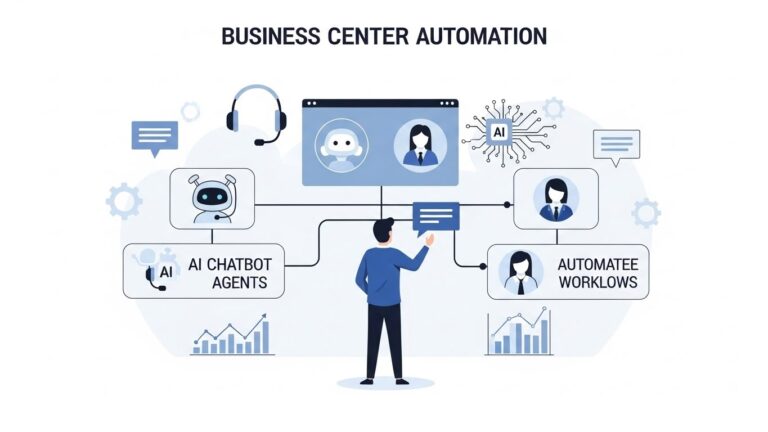
Choosing the Right Contact Center Automation Strategy
With various automation technologies available, organizations need to think strategically about which tools to implement and how they work together. The goal isn’t adopting every possible automation technology—it’s creating a coherent strategy that addresses your specific challenges and goals.
Questions to Guide Your Strategy
Several key questions help clarify what you actually need from contact center automation.
How will agents be guided through complex decisions? Task automation helps with routine work, but complex scenarios need structured guidance. Consider how your strategy addresses decision support, not just task execution.
How quickly can processes be updated and deployed? Business requirements change constantly. Your automation strategy should allow rapid updates to procedures without lengthy development cycles or waiting for IT support.
How easy is it for new agents to ramp up? Onboarding speed directly impacts costs and service quality. Evaluate whether your automation approach accelerates learning or just automates tasks that experienced agents already handle well.
Does the system support consistency and compliance at scale? As teams grow, maintaining consistent service and ensuring compliance becomes harder. Your automation strategy should make these easier, not just faster.
How do the different automation tools work together? Fragmented automation where tools don’t integrate creates complexity and gaps. Look for approaches where different automation types complement each other seamlessly.
Building a Comprehensive Automation Approach
The most effective contact center automation strategies combine multiple technologies that address different aspects of operations.
Start with intelligent routing and frontline automation. These deliver immediate value by handling routine interactions and ensuring complex ones reach the right agent quickly.
Add agent assist tools to support human agents with real-time information and suggestions during customer interactions.
Implement RPA to eliminate manual after-call work and ensure consistent documentation.
Layer in guided process automation to ensure agents follow correct procedures consistently, especially for complex or regulated scenarios.
Integrate everything into a unified agent workspace so agents aren’t constantly switching between different systems and interfaces.
This layered approach addresses the full spectrum from simple task automation to complex decision guidance, creating comprehensive support for both customers and agents.
Evaluating Vendors and Solutions
When evaluating specific automation vendors or platforms, consider several factors beyond just feature lists.
Ease of implementation matters because lengthy, complex deployments delay value and increase costs. Look for solutions that integrate with your existing systems rather than requiring wholesale replacement.
Flexibility for updates is crucial because your processes will change. Solutions that require developer involvement for every update create bottlenecks and slow adaptation.
Agent usability determines whether automation actually helps or just creates more complexity. The best automation feels intuitive and supportive, not confusing or restrictive.
Integration capabilities affect how well different automation tools work together. Platforms that play nicely with others create more value than isolated solutions.
Vendor expertise in contact center operations ensures they understand your challenges. Technology companies without contact center experience often miss important operational realities.
Real-World Examples: Contact Center Automation in Action
Understanding how automation works in theory is one thing. Seeing how real organizations apply it helps clarify practical implications and realistic expectations.
E-commerce Company: Scaling Holiday Volume
A mid-size e-commerce company faced predictable seasonal spikes during holidays, with support volume tripling during peak weeks. Hiring temporary agents was expensive and quality suffered because new hires had minimal training.
They implemented a layered automation approach. Chatbots handled common questions about order status, shipping times, and return policies—roughly 40% of interactions. Intelligent routing directed complex issues to the most qualified agents based on order type and issue category. Guided workflows ensured both permanent and temporary agents followed correct procedures for returns, exchanges, and escalations.
The result was handling 3x volume with only a 50% increase in staff, rather than the previous 3x staffing increase. Customer satisfaction actually improved during peak periods because consistency increased. Temporary agents became productive in days rather than weeks thanks to guided workflows.
Healthcare Provider: Ensuring HIPAA Compliance
A healthcare system’s contact center handled appointment scheduling, insurance questions, and medical records requests—all subject to strict HIPAA compliance requirements. Compliance failures could result in significant fines and reputational damage.
Traditional training couldn’t guarantee every agent remembered every required step. They implemented guided process automation that built compliance requirements into workflows. Agents couldn’t proceed without completing required verification steps, providing necessary disclosures, and documenting interactions properly.
IVR automation handled simple appointment confirmations and basic information. Agent assist provided context about patient history. But guided workflows ensured the critical compliance steps never got skipped, regardless of how busy or stressed agents were.
Compliance audit results improved dramatically, with procedural violations dropping by over 90%. Agents reported feeling more confident because they knew the system wouldn’t let them make mistakes.
Financial Services: Reducing Training Time
A bank’s contact center struggled with long training cycles—new agents needed 8-10 weeks before handling customers independently. This made scaling difficult and expensive.
They implemented agent assist tools for routine account information and transaction processing. They added guided workflows that walked agents through complex scenarios like fraud disputes, account issues, and loan applications. These workflows included embedded knowledge and decision support, effectively encoding experienced agents’ expertise.
New agent training time dropped to 3-4 weeks because agents could follow workflows effectively even without complete memorization of procedures. Error rates decreased by 60% because workflows prevented common mistakes. Experienced agents benefited too, handling complex scenarios faster and more consistently.
Software Company: Improving Global Support
A software company with customers worldwide needed 24/7 support across multiple languages and time zones. Hiring enough agents for full global coverage was cost-prohibitive.
They implemented chatbots that handled basic troubleshooting and common questions in multiple languages, providing instant self-service around the clock. Intelligent routing connected complex technical issues with appropriate engineers regardless of location. Guided workflows ensured consistent troubleshooting procedures globally, despite agents being distributed across different countries and cultures.
The result was true 24/7 coverage at roughly 60% of the cost of traditional staffing. Customer satisfaction improved because simple issues got instant resolution while complex ones still received expert attention. The distributed team maintained quality consistency despite geographic spread thanks to structured workflows.
Common Concerns About Contact Center Automation
As organizations consider contact center automation, several concerns consistently arise. Addressing these directly helps set realistic expectations.
Will Automation Replace All Contact Center Agents?
This is the most common concern, and the realistic answer is no—automation replaces specific tasks and entire jobs for some types of interactions, but human agents remain essential for the foreseeable future.
Automation excels at routine, repetitive interactions that follow predictable patterns, handling simple questions with clear answers, processing standard requests and transactions, routing based on clear criteria, and executing administrative tasks.
Humans remain essential for complex problems requiring creativity and judgment, emotionally charged situations needing genuine empathy, scenarios requiring interpretation of ambiguous information, building relationships and understanding context beyond the immediate question, and handling unexpected situations that don’t match any previous pattern.
The realistic outcome is fewer agents handling more complex work, rather than complete elimination of human roles. Some organizations maintain the same headcount while handling higher volume. Others reduce staff gradually through attrition while improving service quality. The specific approach depends on business goals and customer needs.
How Long Does Implementation Take?
Implementation timelines vary significantly based on solution complexity, existing system landscape, customization requirements, and organizational readiness.
Basic automation like chatbots or IVR can be implemented in weeks for simple use cases. Comprehensive automation strategies involving multiple integrated technologies typically take several months. The key is starting with high-value, lower-complexity automation and expanding gradually rather than trying to automate everything at once.
Guided process automation platforms like Process Shepherd often implement faster than traditional automation because they don’t require replacing existing systems—they layer on top of what you already have.
What If Customers Hate Talking to Bots?
Customer acceptance of automation varies by situation and implementation quality. Research shows most customers actually prefer self-service automation for simple, routine questions—they’d rather get an instant answer from a bot than wait for an agent.
Customer frustration typically stems from bad automation, not automation itself. Poorly designed bots that can’t understand questions, automation that doesn’t know when to escalate to humans, systems that make customers repeat information, and automated experiences that feel impersonal or dismissive all create negative reactions.
Well-designed automation that resolves simple issues instantly, escalates gracefully when needed, maintains context across channels, and works alongside human agents creates positive experiences. The key is knowing what to automate and what requires human touch.
How Do We Maintain the Human Touch?
Contact center automation done right actually enables more human connection, not less. When automation handles routine tasks, agents have more time for meaningful interactions with customers who genuinely need human help. When agents aren’t stressed by administrative burden, they can be more present and empathetic in conversations. When guided workflows handle procedural steps, agents can focus on relationship building rather than worrying about what to do next.
The human touch isn’t about every interaction involving a human—it’s about human connection happening when it matters most. Automation allows you to reserve human attention for situations where it creates the most value.
Final Thoughts: The Future of Contact Center Automation
Contact center automation is no longer optional for organizations that want to deliver excellent customer service at scale. Customer expectations continue rising while economic pressures demand greater efficiency. The traditional approach of simply hiring more agents to handle more volume isn’t sustainable.
However, automation works best when it’s implemented as a comprehensive strategy rather than a collection of isolated tools. The most successful contact centers combine task automation, intelligent routing, agent assist, and guided process automation into an integrated approach that supports the entire customer journey.
The key insight is that automation and human expertise aren’t in opposition—they’re complementary. AI and automation can route calls and answer simple questions, but they struggle with complexity, ambiguity, and situations requiring judgment. Guided workflows can ensure consistent procedures and encode expertise, but they need intelligent routing and task automation to be most effective.
By combining intelligent automation with structured process guidance, contact centers can scale confidently—improving performance, empowering agents, reducing costs, and delivering better customer experiences at every touchpoint.
The organizations that thrive in the coming years won’t be those that automate everything possible or those that resist automation to preserve human jobs. They’ll be those that thoughtfully integrate automation technologies to enhance what humans can accomplish, creating experiences that are both efficient and genuinely helpful.
If you’re exploring contact center automation for your organization, start by identifying your specific challenges. Are you struggling with consistency? Onboarding time? Compliance? Scaling costs? Different challenges point toward different automation priorities. Build your strategy around addressing those challenges comprehensively, not just implementing trendy technologies.
And remember that automation is a journey, not a destination. Start with high-value use cases, learn from implementation, expand gradually, and continuously refine based on results. The goal isn’t perfect automation—it’s continuously improving performance, efficiency, and customer experience through thoughtful application of automation technologies and structured process guidance.

Nola Neven
Nola Neven is a content strategist in the CX space, focused on turning complex operational problems into clear, credible content that people actually read, reference, and share.
Her work sits where content and operations meet. She spends her time understanding how contact centers and help desks really function day to day, where workflows break down, where teams rely on workarounds, and where systems quietly slow everything down.



