
The day-to-day reality of most contact centers is far less glamorous than customers would expect and CX managers would like it to be. Agents are thrown into an environment defined by constant pressure, fragmented tools, and expectations that exceed the systems meant to support them. They hurriedly jump between platforms and search outdated knowledge bases just to survive each call. Research suggests that 73% of customers are more likely to switch to a competitor after multiple negative experiences — a number that should put every CX leader on notice.
Consequently, the result is predictable: high error rates, inconsistent resolutions, and a floor full of agents who are technically trained but operationally unsupported.
Accuracy, consistency, and responsiveness are non-negotiable for top contact centers. Customer experience improvement starts with getting the basics right on every single interaction — and traditional processes make that nearly impossible. This is where guided workflow software changes the game. Instead of expecting agents to memorize steps or dig through scattered resources mid-call, guided workflows walk them through each interaction in real-time. Contact center managers get to hand-hold every agent through every call, without ever being physically present.
A guided workflow turns every step of the customer journey into something repeatable and impossible to improvise away from. Your CX no longer depends on who picked up the call, or how much training they remember. There’s no room for deviation whatsoever.
To understand why leading contact centers are shifting in this direction, we need to break down what guided workflows are and what they actually do behind the scenes, how they change agent behavior, and why they consistently outperform traditional training and knowledge tools.
What Is a Guided Workflow?
A guided workflow is a step-by-step process that tells agents exactly what to do, what to say, and what to collect at every stage of a customer interaction. It sits inside contact center software and controls the flow of the interaction in real time, eliminating guesswork without removing human judgment. Unlike fully automated workflows that run without human input, it is one of the most direct levers available for customer experience improvement — because it operates at the moment of truth: the live interaction. Guided workflows keep agents in control while enforcing the correct process.
How Guided Workflows Actually Work Behind the Scenes
Most CX leaders understand what guided workflows look like at the agent level — a series of prompts, required fields, and decision points. What they don’t see is the intelligence sitting beneath the interface. A guided workflow is not a static script or checklist. It guides the agent along pre-configured paths, using rules, branching logic, and conditional steps to show the correct next action based on the choices made and data entered. Unlike fully automated systems, guided workflows don’t remove human judgment.
At the core of many guided workflows is a decision tree tool. Think of it as a structured map:
- Root node: Where the interaction begins, usually when a call connects or a ticket is opened.
- Internal nodes: Points where the agent makes choices, each mapped by the CX Manager.
- Branches: Connections between nodes that represent the different paths an agent might take depending on the choices made or data entered. Every branch is pre-configured to ensure that all possible scenarios are accounted for and handled correctly.
- Leaf nodes: The outcome of the workflow, such as resolution, escalation, or compliance sign-off.
Every agent follows the same underlying logic, but the path they take adapts in real time depending on customer responses and inputs. If a caller fails authentication, for example, the workflow doesn’t just remind the agent of the correct steps — it enforces the proper branch, collecting all required information before allowing the interaction to continue. Or alternatively, if the customer’s issue requires handing off, it doesn’t hope the agent remembers the right path. The workflow presents a prompt that enforces the handoff before the call can be closed.

Guided Workflows vs. Traditional Training and Knowledge Tools
For decades, contact centers have relied on traditional training programs, manuals, and sprawling knowledge bases to prepare agents. New hires are expected to memorize procedures, recall correct responses, and navigate different tools, all while handling live interactions with customers. This approach leaves room for human error, inconsistent service, and missed opportunities to resolve issues efficiently.
Guided workflows, embedded within modern contact center software, flip this model on its head. Instead of expecting agents to remember every step or rely on mental checklists, the workflow itself drives the process. It replaces static scripts with dynamic call center scripting software that adapts in real time to each customer’s unique situation. Agents still exercise judgment, but the system ensures they never deviate from the prescribed steps, reducing mistakes and guaranteeing consistent service quality. The result is genuine customer experience improvement across every interaction.
Traditional training often leaves agents guessing (or second-guessing) during live calls, creating bottlenecks in ticket management. Guided workflows, by contrast, provide context-sensitive instructions, decision trees, and prompts that appear as they progress through customer interactions. Escalation points, required fields, and compliance checks are built into the workflow, guiding agents at every step. As such, new hires can navigate complex interactions from their very first call, experienced agents spend less time over-thinking, and every customer experiences consistent, reliable service every time — and that consistency is the foundation of real customer experience improvement.
A guided workflow allows agents to focus on helping the customer instead of juggling instructions. It’s faster and more efficient. Unlike traditional tools, the workflow itself carries all the knowledge an agent needs and makes it readily available, so mistakes are reduced, service stays consistent, and most importantly, customers are happy.
The Measurable Impact on CX Metrics
When every agent follows the same steps, resolution time drops and CSAT climbs because customers stop getting different answers from different agents. Because every required step is scripted, more issues get solved on the first interaction, boosting First Contact Resolution (FCR). Long handle times are often caused by agents digging through multiple tabs — guided workflows put an end to that, so call center efficiency and AHT improve automatically. Industry benchmarks from 2025 show that customer satisfaction, service level, and FCR consistently top the list of metrics contact centers measure — all areas where guided workflows have a direct, positive impact.
Error rates fall because the workflow removes guesswork. Agents make decisions out of certainty, as information, resources, and responses are provided in real time.
Agents stop feeling lost mid-call, which improves confidence and slows down turnover. This matters more than many teams realize. 87% of call center workers report high stress levels, and burnout leads directly to inconsistent service. Guided workflows reduce that cognitive load significantly.
With guided workflows, new hires spend less time in training and can start handling real customer interactions much sooner, which reduces agent onboarding time. To learn more about structuring this transition effectively, see Process Shepherd’s guide on effective training for call center agents. Agents also reach full productivity faster because the workflows provide guidance and knowledge in real time, cutting down agent ramp time.
Where Guided Workflows Fit Inside Contact Center Software
Guided workflows don’t replace your existing contact center software — they sit inside it and assist agents in navigating through customer interactions. They are essentially the operational layer that tells every system what should happen next. When combined with contact center automation, they become an even more powerful force for consistency and speed.
Instead of asking agents to jump between CRM screens, internal apps, ticketing tools, and knowledge portals, the guided workflow becomes the single source of truth. It surfaces the next step inside the interface they already use.
No matter where your data lives or which platform your calls run on, the workflow controls what agents must ask, collect, click, and complete before moving forward. If account verification is required, the workflow will enforce it. If a repair visit must be scheduled, the workflow opens that handoff step and ensures the agent completes it before the call can end.
This is why forward-thinking CX teams now pair guided workflows with their existing platforms rather than replacing them. The CRM stores the data. The telephony system connects the call. The ticketing software logs the interaction. But the guided workflow determines the shape of the conversation, step-by-step, so no matter how many tools are in your stack, the agent experience feels like one unified process instead of a maze of disconnected systems.
Best Use Cases for Guided Workflows in CX Teams
Guided workflows deliver the most impact in the exact moments where traditional processes fall apart. Think about technical troubleshooting calls where one missed question throws the whole diagnosis off, or compliance-driven steps like ID verification where there’s no room for guesswork. They’re also a lifesaver when escalations hit, because every required detail gets captured before the call moves forward — no chasing missing notes later.
Teams with high agent turnover feel the difference immediately: a new hire can walk in on Monday and operate like someone who’s been there six months. The benefits multiply in support teams handling multiple products, languages, or regions — places where the “expert” is often whoever happens to be online. The same logic applies to warranty claims, subscription changes, fraud checks, and field service scheduling. Basically, any flow where skipping one step creates a mess.
Guided workflows remove luck and uncertainty from the equation. They ensure the right sequence every time, turning complex customer interactions into something predictable, controlled, and completely foolproof. In each of these scenarios, the outcome is the same: measurable customer experience improvement that compounds over time.
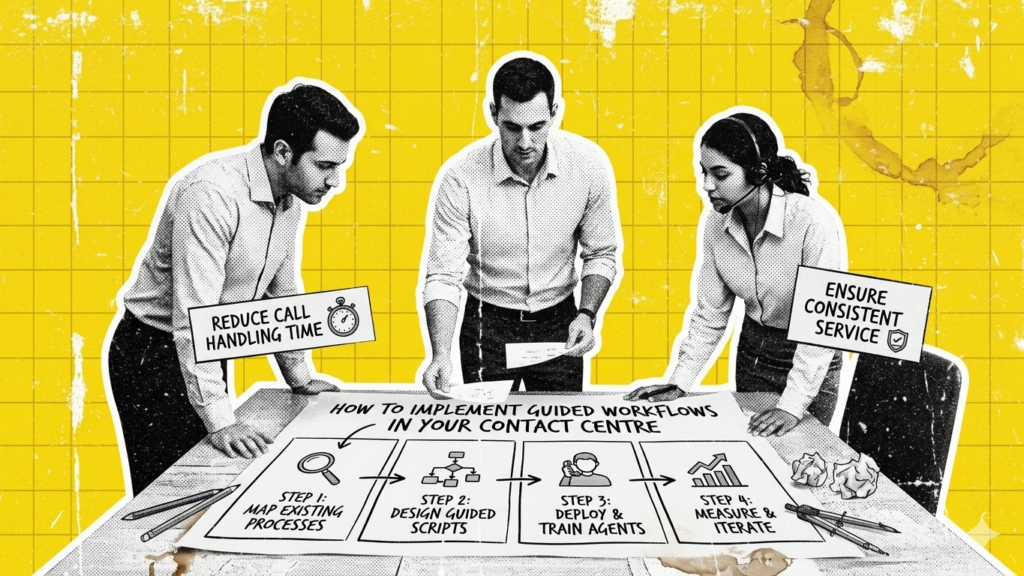
How to Implement Guided Workflows in Your Contact Center
Implementing a guided workflow doesn’t happen with the flip of a switch. It’s about taking a structured, thoughtful approach that aligns the technology with the reality of your team’s day-to-day work. The goal is straightforward: drive real customer experience improvement by giving agents clear, step-by-step guidance while keeping them in control and reducing errors on every call. Here’s how CX managers can make it happen.
1. Map your customer journeys first
Before building a single workflow, understand the interactions your agents handle daily. Which issues repeat most often? Where do mistakes happen? Which steps take the longest or require multiple tools? Document the key touchpoints and decision points across channels, from first contact to resolution. This map becomes the blueprint for your guided workflows.
2. Identify critical steps and decision points
Not every task needs a guided workflow, but every critical step does. Authentication, troubleshooting, escalations, compliance checks, or field service scheduling are the areas where one misstep can break the flow or frustrate a customer. Pinpoint where agents need the most support and design the workflow to enforce the right sequence of actions.
3. Build workflows inside your existing systems
Guided workflows work best when integrated into your current software stack. They do not replace CRMs, telephony systems, or ticketing tools — they live inside them. Start by creating workflows for high-impact areas, linking the steps directly to the screens and tools agents already use. This ensures guidance is visible in real time, without forcing agents to jump between platforms.
4. Leverage rules, branching logic, and automation
A guided workflow is not a static checklist. Use conditional steps, decision trees, and automation to adapt the flow based on customer responses. For example, if a customer fails identity verification, the workflow should automatically guide the agent to collect additional information, escalate the issue, or apply compliance checks. Each branch should account for common scenarios to make the process foolproof.
5. Test workflows with real agents
No workflow is perfect the first time. Pilot your guided workflows with a small group of agents and observe how they navigate them. Are there points where agents hesitate or make errors? Are some steps redundant or confusing? Use feedback to refine the flow until it is intuitive and fully supports agent decision-making in real time.
6. Train agents on the workflows, not just the tools
Even though guided workflows reduce reliance on memory and guesswork, agents still need context. Provide training that explains the ‘why’ behind each step. Show how the workflows guide them through complex interactions and demonstrate how following the flow improves consistency, accuracy, and efficiency.
7. Monitor performance and iterate
Implementation is not the end — it is just the beginning. Track metrics like First Contact Resolution, Average Handle Time, error rates, and CSAT to see how workflows impact outcomes. Use these insights to tweak steps, add branches, or simplify actions. Guided workflows should evolve alongside your products, processes, and team.
8. Scale gradually
Start with the workflows that solve the biggest pain points. Once your team is comfortable and KPIs show improvement, expand to additional processes. Over time, the workflow library becomes a full operational backbone that supports agents across channels, products, and regions — without ever sacrificing control or consistency.
A New Standard in Customer Experience Operations
Contact centers that fail to rethink how agents interact with technology, knowledge, and processes risk falling behind. Guided workflows are not just operational tools — they are the bridge between human expertise and consistent, high-quality execution. Organizations that adopt them gain measurable advantages: faster resolutions, higher First Contact Resolution, fewer errors, and more confident agents.
By embedding real-time guidance and decision logic directly into daily interactions, agents spend less time guessing and more time actually helping customers. The power lies in combining human judgment with structured workflows that enforce the right steps every time. Continuous monitoring, iterative refinement, and strategic scaling ensure that the system grows smarter alongside your team, adapting to new products, services, and customer needs.
The future of customer experience improvement depends on operational intelligence that empowers people, not replaces them. Guided workflows deliver that intelligence, turning every call into an opportunity for efficiency, consistency, and satisfaction.



