Customer Service Desk: A Complete Guide for Modern Businesses

What Is a Customer Service Desk?
A customer service desk is a centralized system where customer questions, issues, and requests are received, tracked, and resolved. It serves as the primary communication hub between your business and your customers, ensuring that every inquiry gets proper attention and nothing falls through the cracks.
- What Is a Customer Service Desk?
- Core Definition of Customer Service Desk
- Why a Customer Service Desk Matters for Your Business
- Customer Service Desk vs Help Desk: Understanding the Difference
- Core Functions of a Customer Service Desk
- Key Features and Capabilities to Look For
- Benefits of a Customer Service Desk for Businesses
- Benefits for Customers
- Customer Service Desk Team Structure
- Setting Up a Customer Service Desk
- Tools and Technology Behind a Customer Service Desk
- Measuring Customer Service Desk Performance
- Long-Term Impact of a Customer Service Desk
- Conclusion
- FAQ About Customer Service Desk
When customers have problems, they need help—fast, clear, and without having to repeat themselves three times to different people. Yet many businesses still handle customer inquiries through scattered emails, random phone calls, and messages that somehow get lost between departments.
A customer service desk solves this chaos. It’s the centralized hub where every customer question, issue, and request gets tracked, organized, and resolved systematically. More than just software or a support team, a well-structured customer service desk transforms how your business communicates with customers, builds relationships, and ultimately grows.
This complete guide explains everything you need to know about customer service desks—what they are, how they work, why they matter, and how to implement one that actually improves both customer satisfaction and your team’s efficiency.
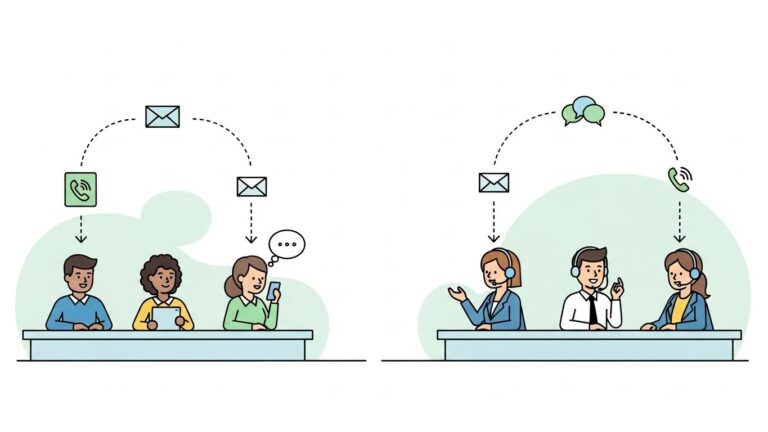
Core Definition of Customer Service Desk
At its most basic, a customer service desk organizes all customer interactions in one place. Instead of support requests scattered across personal email inboxes, random Slack messages, and forgotten voicemails, everything flows through a single, organized system.
This centralization serves several critical purposes. It ensures accountability—you know who’s handling what and whether issues are progressing toward resolution. It provides visibility—managers can see workload, identify bottlenecks, and spot recurring problems. And it creates consistency—customers receive the same quality of support regardless of which agent helps them or when they reach out.
The core purpose isn’t just tracking tickets. It’s ensuring customers receive timely, accurate, and consistent support that makes them feel valued and understood.
Customer Service Desk as a Service Philosophy
Beyond the practical tools and processes, a customer service desk represents your company’s approach to customer care. It reflects whether you view support as a cost center to minimize or a strategic advantage to invest in.
Businesses that embrace the customer service desk philosophy focus on understanding customers deeply, responding with genuine empathy, delivering experiences that align with company values, and building long-term relationships rather than just closing tickets quickly.
This philosophical approach transforms support from “how fast can we get rid of this problem?” to “how can we help this customer succeed and feel great about choosing us?”
How a Customer Service Desk Actually Works
In practice, a customer service desk collects customer inquiries from multiple channels—email, live chat, phone calls, social media messages, contact forms, and even text messages. All these different entry points feed into a single multichannel ticketing system.
Each request gets logged automatically as a ticket with unique identification, relevant customer information attached, initial priority assignment based on predefined rules, and timestamp tracking from start to resolution.
Through intelligent ticket routing, requests are automatically assigned to appropriate team members based on issue type, agent availability, expertise requirements, and current workload distribution. This automation ensures inquiries reach the right specialist immediately rather than sitting in a general queue.
Agents respond using collaboration tools that let them involve colleagues when needed, update customers on progress through automated notifications, and track everything through comprehensive customer history tracking until resolution. The system maintains complete context across all interactions, ensuring no customer has to repeat themselves.
Meanwhile, supervisors use reporting and analytics to monitor overall performance, identify trends and recurring issues through problem management processes, coach team members based on actual data, and continuously improve workflows based on real performance metrics.
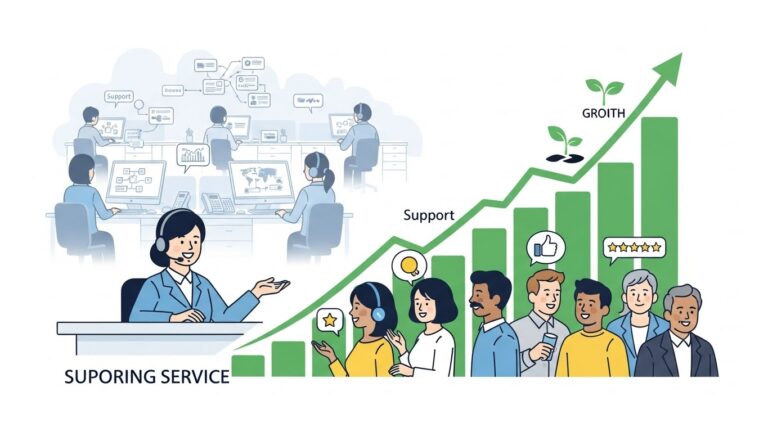
Why a Customer Service Desk Matters for Your Business
If you’re wondering whether your business really needs a formal customer service desk or if informal support methods work fine, consider these critical benefits.
Centralizing Customer Support Operations
The most immediate benefit is operational. Centralization brings structure and accountability to customer support. When all requests flow through one system, you can see exactly what’s happening—who’s working on what, how long issues take to resolve, which problems come up repeatedly, and where processes break down.
This visibility eliminates the common frustrations of informal support: duplicate responses to the same customer, inquiries that get overlooked because someone was on vacation, inconsistent answers from different team members, and complete inability to track performance or identify improvement opportunities.
For growing businesses especially, centralization is essential. What works when you have 50 customers and three team members breaks completely at 500 customers and ten team members.
Improving Customer Satisfaction and Loyalty
From the customer’s perspective, a well-run customer service desk makes a huge difference. They experience faster responses because inquiries don’t sit unnoticed, consistent quality regardless of which agent helps them, context-aware support that doesn’t require repeating their history, proactive updates about issue status instead of wondering what’s happening, and confidence that their concerns are actually being addressed.
This consistency builds trust. When customers feel heard, supported, and valued, they become loyal advocates who not only stay with your business but actively recommend you to others.
According to research, customers who have positive service experiences are significantly more likely to make repeat purchases and spend more over their lifetime. A customer service desk is the foundation that makes those positive experiences possible at scale.
Supporting Business Growth and Scalability
Perhaps most importantly, a customer service desk enables sustainable growth. As your customer base expands, informal support methods quickly become overwhelming. The person who “just handles support emails” can’t keep up. Response times slow down. Quality suffers. Team members burn out.
A proper customer service desk provides the structure needed to scale support smoothly. Standardized workflows make it easier to onboard new agents, clear metrics reveal when you need additional capacity, documented processes ensure consistency as teams grow, and automation handles repetitive tasks so humans can focus on complex issues.
Without this foundation, growing your business means proportionally growing support chaos. With it, you can serve more customers without exponentially more resources or stress.
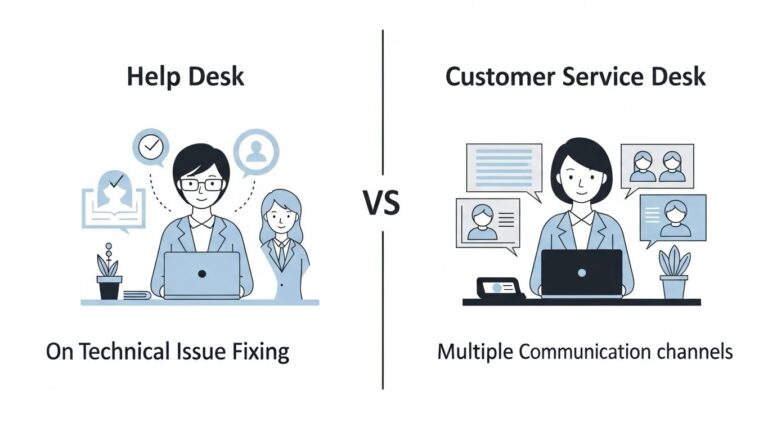
Customer Service Desk vs Help Desk: Understanding the Difference
While these terms are often used interchangeably, understanding the service desk vs help desk distinction helps clarify what your business actually needs.
Scope and Approach Differences
A help desk typically focuses narrowly on resolving immediate technical issues through incident management. Its approach is reactive—problems arise, the help desk fixes them, done. Help desks excel at troubleshooting, technical support, and getting systems back online quickly. They prioritize fixing what’s broken over building relationships.
A customer service desk takes a broader approach to customer support. It supports customers throughout their entire journey with your company, handling not just problems but also questions, guidance, onboarding, feedback, and relationship building. The approach combines reactive incident management with proactive problem management and long-term engagement.
Think of help desks as focused on fixing things, while customer service desks focus on supporting people throughout their relationship with your business.
Use Cases for Each Model
Help desk software makes sense for internal IT support where employees need technical assistance, software companies providing product troubleshooting, and businesses where customer interactions are primarily technical problem-solving through incident management.
Customer service desk solutions are ideal for businesses selling to consumers (B2C) where experience matters deeply, companies with complex customer journeys requiring guidance, organizations where customer support is a key competitive differentiator, and any business prioritizing long-term customer relationships over transactional resolution.
Many businesses actually need both—a help desk for internal technical support and a customer service desk for external customer interactions and relationship management.
Cost, Resources, and Training Considerations
Customer service desks typically require more investment than basic help desks. Agents need broader training in communication skills, emotional intelligence, product knowledge across multiple areas, and your company’s values and service philosophy.
The tools may be more sophisticated, supporting multichannel communication, personalization, and relationship management. However, this investment typically delivers higher customer satisfaction, stronger loyalty, and better long-term business results.

Core Functions of a Customer Service Desk
Understanding what a customer service desk actually does helps clarify its value.
Ticket and Request Management
Every customer inquiry becomes a tracked ticket or request through your ticketing system. This seemingly simple function provides enormous value—nothing gets lost or forgotten, you can measure resolution times and identify bottlenecks, customers can check status without contacting you again, and historical context is preserved for future interactions through customer history tracking.
Effective ticket management includes automatic ticket creation from any channel, intelligent ticket routing to appropriate agents based on expertise and availability, priority assignment based on issue urgency and customer value, and status tracking from initial contact through resolution and customer follow-up.
Modern systems use automation to handle routing decisions instantly, ensuring urgent issues get immediate attention while routine requests flow through standard channels efficiently.
Process Optimization and Workflow Management
Well-designed workflows ensure customer support operates efficiently and consistently. This includes defined paths for common issue types, clear escalation management procedures for complex situations requiring specialist attention, collaboration tools and protocols when multiple people need to contribute, and quality checks before issues are marked resolved.
Modern customer service desks increasingly use guided workflows and decision tree technology to ensure agents follow optimal processes consistently. Tools like Process Shepherd provide step-by-step guidance that helps agents handle issues correctly, even when they’re new or facing unfamiliar situations.
This workflow automation dramatically reduces variation in service quality, improves first contact resolution (FCR) rates, and shortens training time for new team members while ensuring compliance with company policies and procedures.
Multichannel Customer Support
Today’s customers expect omnichannel support—reaching businesses through their preferred channels and seamlessly switching between them without repeating themselves.
A proper customer service desk supports email for detailed explanations and documentation, live chat for quick questions and real-time assistance, phone for complex or emotional issues requiring personal touch, social media for public inquiries and brand engagement, and self-service portals where customers prefer finding answers independently without agent interaction.
Critically, all these channels feed into the same multichannel ticketing system so agents have complete context regardless of how customers make contact. This omnichannel support approach ensures customers can start a conversation in one channel and continue it in another without losing context or repeating information.

Key Features and Capabilities to Look For
Not all customer service desk solutions are created equal. Here are the essential capabilities that separate effective systems from basic ticket trackers.
Centralized Customer Interaction Records
Every interaction with each customer should be logged and accessible in one place. When an agent pulls up a customer record, they should see complete interaction history across all channels, previous issues and how they were resolved, customer preferences and important notes, and relevant account information.
This centralization enables personalized support. Agents can say “I see you contacted us last month about X” rather than “Can you explain your issue from the beginning?” That context transforms the customer experience.
Omnichannel Support Experience
True omnichannel support means customers can start a conversation in one channel and continue it in another without losing context. They might begin with a chat inquiry, follow up via email, and finish with a phone call—and each interaction builds on the previous ones.
This requires integration across channels, unified customer profiles, synchronized ticket history, and agents who can access the complete conversation regardless of channel.
Self-Service and Knowledge Base Options
Not every customer wants to contact customer support directly. Many prefer finding answers themselves through self-service options. A comprehensive knowledge base with searchable articles and guides, video tutorials and walkthroughs, FAQs organized by topic and product category, and community forums where customers help each other significantly reduces ticket volume while improving customer satisfaction (CSAT).
Modern self-service portals go beyond static content to provide interactive troubleshooting, AI-powered chatbots that guide customers through solutions, and integration with your ticketing system for seamless escalation when self-service doesn’t resolve the issue.
Self-service works best when tightly integrated with your customer service desk. If self-service doesn’t solve the issue, customers should be able to create a ticket seamlessly with all context from their self-service session already included, preventing them from having to repeat information.
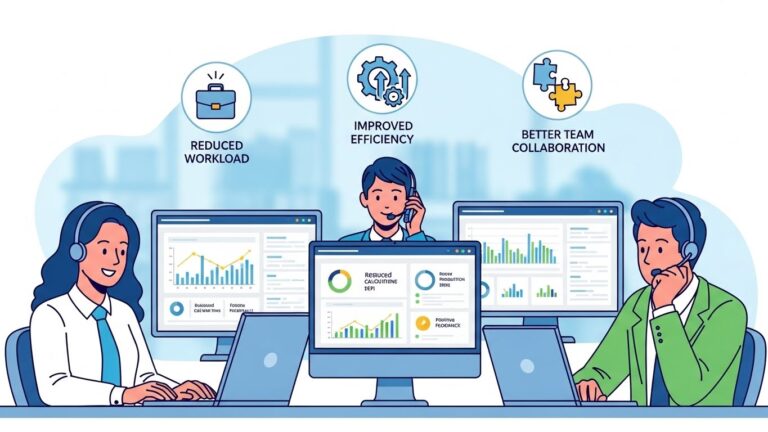
Benefits of a Customer Service Desk for Businesses
The operational and strategic advantages extend across your entire organization.
Faster Response and Resolution Times
Organized workflows, intelligent ticket routing, and automation reduce delays at every step. Customers get acknowledgment immediately through automated responses, issues reach the right specialist quickly via smart ticket routing, and agents spend less time hunting for information or deciding what to do next thanks to guided workflows.
Typical improvements include response times dropping by 40-60%, resolution times decreasing by 30-50%, and first contact resolution (FCR) rates increasing significantly as agents follow proven troubleshooting paths that address root causes rather than applying temporary fixes.
Improved Team Collaboration and Visibility
When everyone works from the same help desk software with shared collaboration tools, teamwork becomes natural. Agents can easily involve colleagues for specialized knowledge through internal notes and mentions, supervisors can identify who needs help before problems escalate by monitoring ticket queues in real-time, and teams can share insights about recurring issues through problem management processes.
This visibility breaks down silos that often exist between customer support, product development, sales, and other departments—leading to better overall customer experiences and more effective problem management that prevents issues from recurring.
Cost Efficiency and Resource Optimization
While customer service desks require investment, they deliver strong ROI through reduced duplicate effort as agents don’t work on the same issues unknowingly thanks to centralized ticketing, enabled self-service portals that deflect tickets entirely, better capacity planning based on reporting and analytics data, faster training for new agents through standardized workflows and guided processes, automation of routine tasks like ticket routing and customer follow-up, and lower turnover as agents feel more supported and effective in their roles.
Organizations typically see 25-35% improvement in support efficiency within the first year of implementing cloud-based service desk software with proper workflow automation and comprehensive analytics.

Benefits for Customers
The advantages aren’t just operational—customers experience tangible improvements.
Consistent and Reliable Support
Regardless of which agent helps them, what time they reach out, or which channel they use, customers receive consistent quality. This reliability builds confidence in your company.
Personalized Support Experiences
With complete interaction history available, agents can provide personalized support that acknowledges customer history, anticipates needs based on previous issues, remembers preferences and communication style, and demonstrates that you value the relationship.
This personalization makes customers feel valued as individuals rather than ticket numbers.
Faster Access to Solutions Through Self-Service
Customers who prefer solving problems independently can do so 24/7 through knowledge bases and self-service portals. This immediate access often provides faster resolution than waiting for an agent, especially for common or straightforward issues.
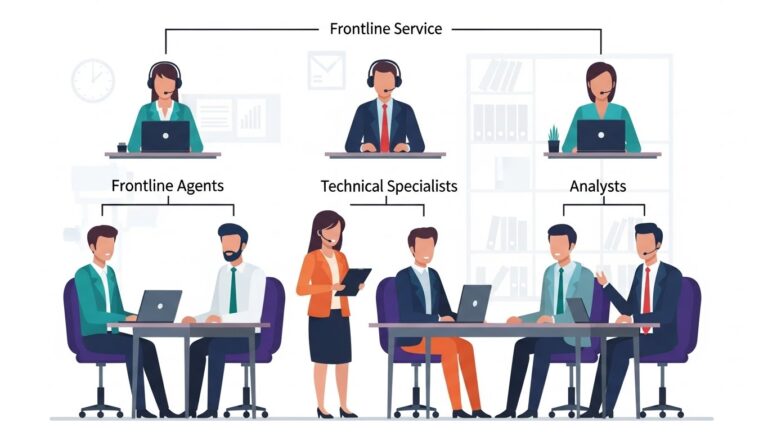
Customer Service Desk Team Structure
Effective support requires clearly defined roles working together.
Frontline Customer Support Representatives
These team members handle initial inquiries and resolve most issues directly. They need strong communication skills, product knowledge, empathy and patience, problem-solving abilities, and comfort with your service desk tools.
They’re your brand’s voice and often make the biggest impact on customer perception.
Supervisors and Team Leaders
Supervisors guide teams, monitor performance, coach agents on complex situations, identify training needs, and ensure service quality standards are met. They bridge frontline agents and management.
Technical Specialists and Subject Matter Experts
These team members address complex or specialized issues requiring deeper expertise. They might handle escalations from frontline agents, provide training and documentation, and contribute to process improvements based on their specialized knowledge.
Performance and Data Analysts
In larger operations, dedicated analysts study metrics, identify trends and improvement opportunities, forecast staffing needs, measure the impact of process changes, and support data-driven decision-making.
Even smaller teams benefit from someone regularly reviewing performance data and identifying patterns.

Setting Up a Customer Service Desk
Successful implementation requires thoughtful planning and execution.
Assessing Business and Customer Needs
Start by understanding your support volume and types of inquiries, customer preferences for communication channels, your team’s current capabilities and challenges, business goals for customer experience, and budget available for tools and training.
This assessment prevents investing in capabilities you don’t need while ensuring you address actual pain points.
Designing Workflows and Processes
Map out how different types of inquiries should flow—from initial contact through resolution. Define responsibilities at each step, escalation paths for complex issues, quality standards and checkpoints, and success metrics for each process.
Modern solutions like Process Shepherd help implement these workflows with guided decision trees that ensure agents follow optimal paths consistently, even when handling unfamiliar scenarios.
Selecting the Right Customer Service Desk Tools
Choose tools that support your specific needs without unnecessary complexity. Essential capabilities include ticket management across all your channels, collaboration features for team coordination, customer history and context, reporting and analytics, and integration with existing systems (CRM, billing, etc.).
Avoid the temptation to choose based on features lists. Focus on tools that solve your actual problems and that your team will actually use.
Organizing and Training Support Teams
Proper training ensures agents are confident and effective. Training should cover product and service knowledge, company values and service philosophy, technical platform skills, communication and empathy, and processes and workflows for common scenarios.
Ongoing training and coaching maintain quality as products evolve and new challenges emerge.
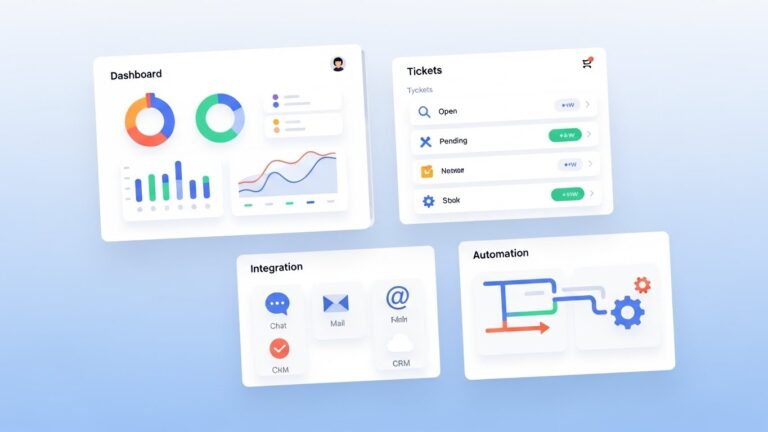
Tools and Technology Behind a Customer Service Desk
Technology supports but doesn’t replace good service practices.
Core Software Capabilities
Modern customer service desk software provides ticket tracking and management, multichannel communication integration, customer history and profiles, collaboration tools for teamwork, knowledge base management, automation for routine tasks, reporting and analytics dashboards, and mobile access for remote teams.
The best platforms balance power with usability—sophisticated enough to handle complex needs but intuitive enough that agents focus on customers, not wrestling with tools.
Integrations With Existing Business Tools
Your customer service desk should integrate with your CRM for complete customer context, billing systems for account and payment information, product databases for detailed specifications, and communication platforms your team already uses.
These integrations eliminate manual work transferring information between systems and provide agents with everything they need in one interface.
Automation and Analytics Support
Automation handles repetitive tasks like ticket routing and assignment, status update notifications, data entry and field population, and reminder and follow-up messages.
This frees agents to focus on the human elements of support that actually require judgment and empathy.
Analytics provide visibility into performance trends, common issues requiring attention, agent productivity and quality, customer satisfaction patterns, and ROI from support improvements.
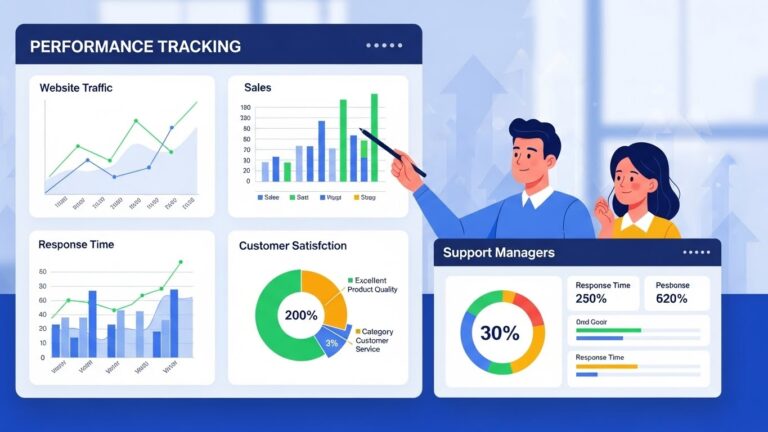
Measuring Customer Service Desk Performance
What gets measured gets improved. Track these key indicators.
Key Performance Metrics to Track
Essential metrics include first response time (how quickly customers receive initial acknowledgment), resolution time (how long until issues are fully resolved), first-contact resolution rate (percentage of issues solved without follow-up), customer satisfaction scores (direct feedback on support quality), ticket volume and trends (what issues are increasing or decreasing), and agent productivity and quality scores.
Using Analytics for Continuous Improvement
Regular analysis reveals patterns that inform improvement. You might discover certain issue types take much longer than they should, specific agents who could mentor others, knowledge base gaps where customers struggle, processes that cause confusion or delays, or seasonal trends that affect staffing needs.
This data-driven approach to improvement yields better results than gut feeling alone.
Moving From Reactive to Preventive Support
The most mature customer service desks use data to prevent problems before they occur. By identifying recurring issues, you can address root causes in products or documentation, create better self-service resources, proactively communicate about known issues, and improve onboarding to prevent common new-customer problems.
This shift from reactive to preventive support improves customer experience while reducing ticket volume.

Long-Term Impact of a Customer Service Desk
The benefits compound over time.
Strengthening Customer Relationships Over Time
Consistent, thoughtful support builds loyalty that translates into higher customer lifetime value, increased referrals and word-of-mouth, constructive feedback that improves products, and resilience when occasional problems occur.
Customers who trust your support are more forgiving and patient when issues arise.
Supporting Business Efficiency and Growth
A well-run customer service desk enables sustainable growth by maintaining quality as volume increases, providing data that informs product and business decisions, creating scalable processes that don’t require constant reinvention, and building institutional knowledge that survives individual team member turnover.
Enabling Scalable and Sustainable Customer Support
With proper structure, tools, and processes, you can grow your business substantially without support becoming chaotic. You’ll know when to add capacity, how to maintain standards as teams expand, what processes work and what needs improvement, and how support contributes to overall business success.
Conclusion
A customer service desk is far more than a ticketing system or support team—it’s the foundation of how your business builds and maintains customer relationships at scale. Whether you’re a growing startup feeling the strain of informal support methods or an established company looking to improve customer experience, implementing a proper customer service desk transforms both operational efficiency and customer satisfaction.
The key is approaching it holistically—not just buying software, but thoughtfully designing processes, training teams, measuring performance, and continuously improving based on data and feedback. Modern tools like guided workflow platforms ensure consistency even as you scale, helping agents deliver excellent support regardless of experience level or situation complexity.
Start by assessing your current support challenges, identifying your highest-priority improvements, and building from there. The investment in a proper customer service desk delivers returns through happier customers, more efficient teams, and sustainable business growth.
FAQ About Customer Service Desk
Q: What is a customer service desk?
A: A customer service desk is a centralized system where all customer questions, issues, and requests are received, tracked, and resolved. It serves as the primary communication hub between a business and its customers, organizing support across multiple channels (email, phone, chat, social media) into one unified system. Unlike scattered email inboxes or informal support methods, a customer service desk ensures accountability, provides visibility into performance, and enables consistent support quality. It includes ticketing software, defined processes, trained support teams, and often self-service options like knowledge bases—all working together to deliver reliable customer experiences.
Q: What’s the difference between a customer service desk and a help desk?
A: While the terms are often used interchangeably, they have different focuses. A help desk typically concentrates on resolving immediate technical issues reactively—fixing problems as they arise, often for internal IT support. A customer service desk takes a broader approach, supporting customers throughout their entire journey with relationship-building, proactive improvements, and long-term engagement alongside issue resolution. Customer service desks handle diverse inquiries beyond just technical problems—questions, guidance, onboarding, and feedback. They typically require more investment in training and tools but deliver stronger customer satisfaction and loyalty. Many businesses need both: a help desk for internal technical support and a customer service desk for external customer interactions.
Q: What are the main benefits of a customer service desk?
A: Customer service desks deliver multiple benefits including faster response and resolution times through organized workflows and clear ownership, improved customer satisfaction from consistent, personalized support experiences, better team collaboration as everyone works from shared systems with full context, cost efficiency through reduced duplicate work and enabled self-service, scalability enabling growth without proportional resource increases, and data-driven insights revealing trends and improvement opportunities. For customers specifically, benefits include consistent quality regardless of agent or channel, personalized support that acknowledges their history, and faster self-service access to solutions. Organizations typically see 25-35% improvement in support efficiency within the first year.
Q: What features should I look for in customer service desk software?
A: Essential features include ticket management across all your communication channels, centralized customer interaction history showing complete context, omnichannel support allowing seamless conversation across email, chat, phone, and social media, self-service knowledge base for customer independence, collaboration tools for team coordination, automation for routine tasks like routing and notifications, reporting and analytics for performance insights, and integration capabilities with your CRM, billing systems, and other business tools. Additionally, modern solutions should offer guided workflow technology to ensure agents follow optimal processes consistently. Focus on tools that solve your actual problems and that your team will use effectively rather than choosing based solely on feature lists.
Q: How much does it cost to implement a customer service desk?
A: Customer service desk costs vary widely based on company size, complexity, and chosen solutions. Software typically ranges from $15-50 per agent per month for basic platforms to $100-200+ per agent for enterprise solutions with advanced features. Additional costs include implementation and setup (potentially $5,000-50,000+ depending on complexity), training for support teams, integration with existing systems, and ongoing management and optimization. However, customer service desks typically deliver strong ROI through improved efficiency, higher customer satisfaction, and reduced operational costs. Organizations commonly see payback within 12-18 months through reduced support costs, decreased customer churn, and improved team productivity. Start with essential features and expand as you demonstrate value.

Nola Neven
Nola Neven is a content strategist in the CX space, focused on turning complex operational problems into clear, credible content that people actually read, reference, and share.
Her work sits where content and operations meet. She spends her time understanding how contact centers and help desks really function day to day, where workflows break down, where teams rely on workarounds, and where systems quietly slow everything down.



