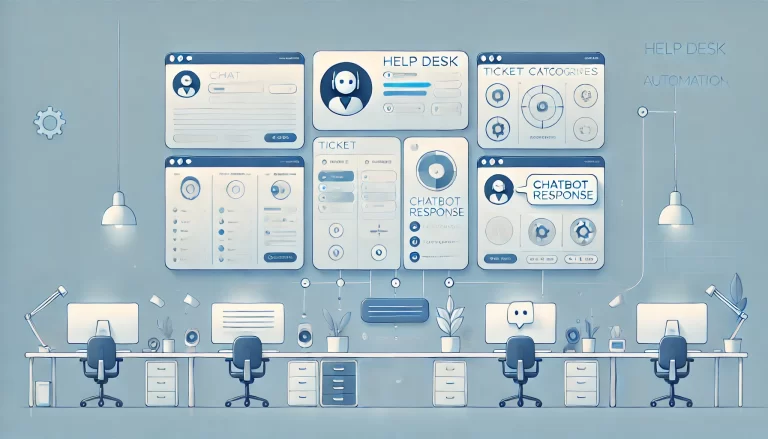
Manual processes in customer service can slow down response times, create errors, and frustrate both customers and agents. This is where helpdesk automation software comes in — it streamlines workflows, reduces repetitive tasks, and empowers IT support teams to focus on solving complex issues.
- How Does AI Enhance Helpdesk Automation Software Systems?
- 1. Intelligent Ticket Routing
- 2. Workflow Automation for Repetitive Tasks
- 3. Customizable SLAs and Escalation Rules
- 4. Multi-Channel Support and Omnichannel Support for Helpdesk Automation Software
- 5. Knowledge Management Integration
- Are There Any Free Help Desk Automation Software Options?
- How Can Help Desk Automation Improve Employee Experience?
- 6. Scalability and Integration Capabilities
- Conclusion
- What is the best IT helpdesk automation software?
With so many helpdesk software options on the market, choosing the right help desk system can feel overwhelming. To help, let’s break down the essential features every help desk automation platform should have — and why they matter for your support experience.
How Does AI Enhance Helpdesk Automation Software Systems?
Artificial intelligence transforms help desk automation by making systems smarter and more responsive to customer inquiries:
Intelligent Ticket Classification and Routing
AI analyzes support tickets content, sentiment, and context to automatically categorize and route customer requests to the most qualified IT teams
Natural language processing understands customer intent, even when queries are poorly worded or contain typos
Machine learning improves ticket assignment accuracy over time by learning from successful ticket resolution patterns
Predictive Analytics and Proactive Support
AI identifies patterns in customer behavior to predict potential issues before they escalate into complex issues
Automated alerts notify support teams when SLA breaches are likely, enabling proactive intervention
Predictive models help forecast ticket volumes for better resource planning and improved agent performance
Enhanced Customer Self-Service
AI agent chatbots handle routine customer inquiries 24/7, providing instant responses to common issues
Intelligent knowledge management suggestions automatically surface relevant articles based on customer queries
Natural language search helps customers find solutions using conversational language through web forms
Agent Assistance and Decision Support
AI provides real-time suggestions to agents during customer interactions
Automated response templates are generated based on similar resolved cases
Sentiment analysis helps agents understand customer emotions and adjust their approach accordingly
1. Intelligent Ticket Routing
One of the most important key features of any help desk software is its ability to intelligently route support tickets. Instead of agents manually handling ticket assignment, automation ensures each support request reaches the right person based on expertise, workload, or priority level.
For example, if a customer submits a technical query through your ticketing system, the system should automatically forward it to the IT support team, not the billing department. This reduces delays and ensures customers are always connected to the right resource from the start, improving overall service delivery.
2. Workflow Automation for Repetitive Tasks
Support teams often handle repetitive tasks: sending follow-up emails, tagging support tickets, updating statuses, or escalating unresolved customer requests. Without automation tools, these manual processes consume valuable time and increase the risk of human error.
An effective help desk automation platform should include customizable workflows to automate these low-value tasks. For example:
Automatically sending acknowledgment emails when a ticket is received through your help desk system
Closing tickets that remain inactive after a set period
Triggering alerts when service-level agreements (SLAs) are at risk
With these automation tools in place, agents spend less time on administration and more time delivering meaningful customer service, ultimately improving the customer experience.
3. Customizable SLAs and Escalation Rules
Customer expectations are higher than ever, and missing deadlines can damage your brand’s credibility. That’s why SLA (Service-Level Agreement) management is a must-have feature in any service desk solution.
A strong help desk management software should allow you to set custom SLAs for different ticket categories — urgent cases may require a one-hour response, while general customer inquiries might have a 24-hour window. Automation ensures support tickets are flagged, escalated, or reassigned if SLA deadlines are approaching.
This not only boosts accountability but also helps managers maintain service quality across the board, following IT service management best practices.
4. Multi-Channel Support and Omnichannel Support for Helpdesk Automation Software
Customers expect help to be available on the platforms they use every day — email, live chat, phone, or even social media. Without seamless integration across channels, customer service becomes fragmented and inconsistent.
A modern help desk software should centralize all these channels into one shared inbox. That way, no matter where a customer reaches out, the system logs the query, creates a ticket through ticket creation automation, and routes it appropriately. This omnichannel support approach ensures consistent service delivery across all touchpoints.
5. Knowledge Management Integration
Help desk automation isn’t just about efficiency for agents — it’s also about empowering customers to help themselves. That’s why knowledge management integration is so important in any service management platform.
A great helpdesk software should suggest relevant help articles based on the customer’s query. For example, if someone types “reset password,” the system can automatically display a step-by-step guide before an agent even gets involved.
This reduces ticket volume, improves customer satisfaction, and helps teams scale customer support without adding more staff. When support requests do require human intervention, platforms like Process Shepherd take this knowledge management integration further by embedding helpful information directly within agent workflows. Instead of agents searching separate knowledge bases, relevant articles and guidance appear automatically at each step of the resolution process, ensuring consistent, informed responses every time.
Are There Any Free Help Desk Automation Software Options?
Yes, several free help desk automation solutions are available in 2025, though they typically come with limitations. Most offer a free trial period to test their capabilities:
Popular Free Options:
Freshdesk – Free plan for up to 10 agents with basic automation features
Zoho Desk – Free tier for up to 3 agents with limited automation capabilities
osTicket – Open-source solution with basic automation tools
HubSpot Service Hub – Free plan with simple ticketing system and basic automation
Spiceworks – Completely free with community support
Limitations of Free Solutions:
Agent limits – Most free plans restrict the number of support agents
Feature restrictions – Advanced features, reporting, and integrations often require paid upgrades
Limited customization – Basic workflow automation with fewer configuration options
Reduced support – Community-based help rather than dedicated customer support
Storage limits – Restrictions on ticket history and file attachments
When to Consider the Best Help Desk Paid Solutions:
Your team has more than 3-10 agents
You need advanced AI features and intelligent automation
Seamless integration with CRM and other business tools is essential
Custom workflows and extensive automation rules are required
Asset management capabilities are needed for IT service management
How Can Help Desk Automation Improve Employee Experience?
Help desk automation significantly enhances the work experience for support agents and managers:
Reduced Burnout and Job Satisfaction
Automation eliminates tedious, repetitive tasks that often lead to agent frustration
Agents can focus on meaningful problem-solving and customer relationship building
Reduced stress from manual data entry and administrative work improves job satisfaction
Enhanced Productivity and Efficiency
Automated ticket routing ensures agents receive cases matching their expertise
Pre-populated responses and guided workflows speed up ticket resolution times
Real-time access to relevant customer data reduces time spent searching for answers
Improved Learning and Development
Consistent workflows help new agents overcome the learning curve faster
Built-in knowledge management provides continuous learning opportunities
Performance analytics help identify areas for skill improvement
Better Work-Life Balance
Automated after-hours responses reduce pressure for immediate replies
SLA automation prevents urgent issues from being overlooked
Self-service options reduce overall ticket volume, creating more manageable workloads
Career Growth Opportunities
With routine tasks automated, agents can take on more complex, strategic work
Analytics provide clear performance metrics for career development discussions
Freed-up time allows for additional training and skill development
6. Scalability and Integration Capabilities
Your IT service needs today won’t be the same as tomorrow. That’s why scalability is critical. A good help desk system should grow with your business, handling increased ticket volumes, new channels, and more complex workflows without requiring a complete overhaul.
Just as important is seamless integration with your existing ecosystem — CRMs, communication platforms, and project management tools. These connections ensure that support teams always have the customer data and context they need to deliver efficient service.
Process Shepherd, for instance, is built with scalability in mind. It adapts to different industries and team sizes, making it a long-term partner for businesses looking to streamline and future-proof their support operations with advanced features.
Conclusion
Customer support is no longer just about answering questions — it’s about delivering a fast, consistent, and personalized customer experience across every interaction. The right help desk automation software can transform how your team operates by automating repetitive tasks, improving ticket routing, and ensuring SLAs are always met.
When evaluating your options, look for a solution that offers intelligent routing, customizable workflows, SLA management, omnichannel support, knowledge management integration, strong analytics, and scalability. Consider whether free options with a free trial meet your needs or if investing in paid solutions with advanced features and artificial intelligence capabilities will better serve your team and customers.
If you’re seeking a platform that combines these essential key features with flexibility and ease of use, Process Shepherd is designed to guide teams through optimized workflows, simplifying processes to elevate both customer satisfaction and employee experience. Following service management best practices, it helps create a support experience that benefits everyone involved.
What is the best IT helpdesk automation software?
The best IT helpdesk automation software often includes features like ticketing systems, self-service portals, and AI-driven chatbots. Popular options include Process Shepherd, Freshdesk, Zendesk, and ServiceNow. These platforms streamline support processes, enhance user experience, and improve response times, making them crucial for efficient IT operations in any organization.

Nola Neven
Nola Neven is a content strategist in the CX space, focused on turning complex operational problems into clear, credible content that people actually read, reference, and share.
Her work sits where content and operations meet. She spends her time understanding how contact centers and help desks really function day to day, where workflows break down, where teams rely on workarounds, and where systems quietly slow everything down.



