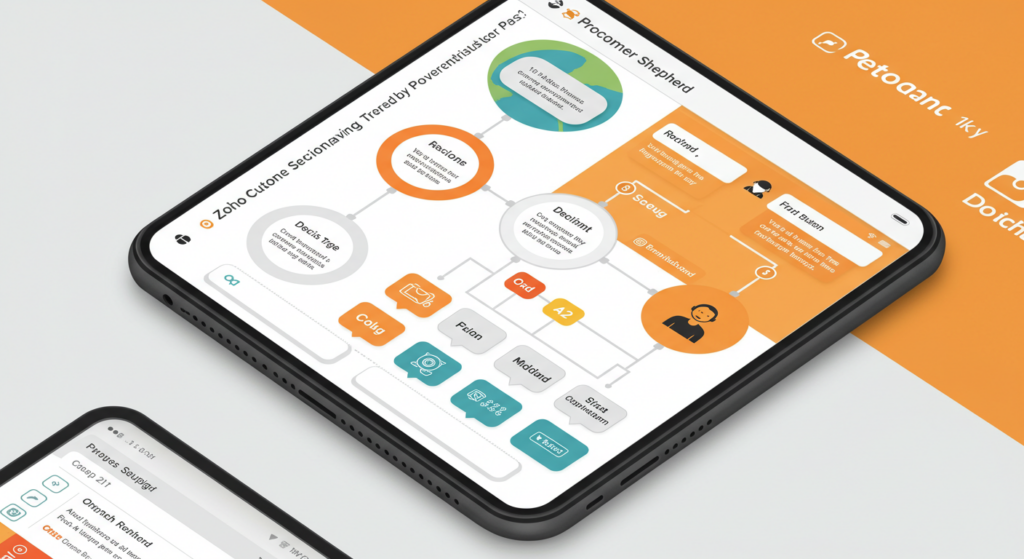
Well, Zoho decision tree is amazing and we know it, but it’s like a superhero without a cape. It’s got CRM for sales, Desk for support, Analytics for data… but when it comes to smart, automated decisions, it doesn’t have the vehicle to be able to direct decisions or workflows so it gets stuck in the Stone Age.
- What’s a Zoho Decision Tree? (And Why Your Competitors Are Already Using One)
- Best Third-Party Decision Tree Tools for Zoho Integration
- Process Shepherd + Zoho Analytics: Like Peanut Butter and Chaos-Free Jelly
- Advanced Integration Scenarios
- Workflow Automation Tips for Zoho Apps
- Why Process Shepherd Outshines “Zoho-Compatible” Tools
- “But Wait—Do I Really Need This?”
- Setting Up Your Integration: A Step-by-Step Guide
- Real-World Success Stories
- Marketplace Considerations and Reviews
- FAQs:
- Ready to Give Zoho the Brain Upgrade It Deserves?
Your team wastes hours on repetitive tickets: “Is this a refund or exchange?” “Should I escalate this query?” Meanwhile, customers tap their feet, wondering why your replies take longer than a DMV line while this is an everyday task/ticket that should be quick and automated.
Well, that’s Zoho decision tree integration—the “brain” Zoho desperately needs. And no, don’t mix it up with some other duct-taping a flowchart app to Zoho. We’re talking Process Shepherd: the only customer support tool that turns Zoho into a self-driving car for your workflows and act as the smart brain for its workflows.
What’s a Zoho Decision Tree? (And Why Your Competitors Are Already Using One)
A Zoho decision tree is a logic map that automates choices within Zoho products. Think of it as IFTTT (If This, Then That) but massively magnified. For example:
If a Zoho CRM lead scores above 80, then send a personalized proposal via Zoho Mail.
If a Zoho Desk ticket mentions “billing issue,” then route it to finance and apply a discount code.
And the list of scenarios goes on and on…
Without it, your team plays a never-ending game of 20 Questions. But with it, they solve tickets faster, upsell smarter, and keep customers from ghosting you. Most importantly, it provides the next best action for every customer interaction, ensuring consistent service delivery.
Best Third-Party Decision Tree Tools for Zoho Integration
While several third-party decision tree tools claim Zoho compatibility, the landscape varies significantly in terms of functionality and ease of integration. Zingtree offers solid integration capabilities with Zoho CRM, particularly for call scripts and guided workflows. Yonyx provides another robust option for creating guided decision trees that can connect with Zoho CRM for enhanced customer service interactions.
However, Process Shepherd stands out as the most comprehensive solution, built specifically with Zoho’s API architecture in mind. Unlike generic tools that treat Zoho as just another integration, Process Shepherd understands the nuances of Zoho’s ecosystem and leverages them for maximum efficiency. The platform’s interactive decision tree capabilities transform complex business workflows into streamlined processes that even non-technical users can manage.
Process Shepherd + Zoho Analytics: Like Peanut Butter and Chaos-Free Jelly
1. Ditch Spreadsheets, Embrace “Set-and-Forget” Workflows
Process Shepherd plugs into Zoho’s ecosystem (CRM, Desk, Analytics) and automates decisions in easy steps, but it also does:
Auto-Resolve 40% of Tickets: Chatbots handle FAQs using decision trees, freeing agents for complex issues and boosting customer satisfaction.
Dynamic CRM Updates: Sales teams get real-time lead priorities based on Zoho Analytics historical data.
Error-Proof Compliance: Ensure every refund request follows the exact approval chain so much less room for mistakes.
The beauty lies in its drop builder interface—no coding required. Subject matter experts can create sophisticated workflows using simple drag-and-drop functionality, making it accessible to your entire team.
How to Integrate Decision Trees with Zoho Desk
Integrating a decision tree with Zoho Desk involves several straightforward easy steps:
API Connection Setup: Process Shepherd connects to Zoho Desk via OAuth 2.0, ensuring secure data exchange
Ticket Classification Rules: Create decision branches based on ticket categories, priority levels, or customer segments using plain text descriptions
Agent Workflow Mapping: Design trees that guide customer support agents through resolution steps
Automated Routing: Set up rules that automatically assign tickets to appropriate teams based on decision outcomes
The integration typically takes 15-30 minutes and can immediately start streamlining your support workflows. Unlike complex coding solutions, Process Shepherd’s drop builder makes it simple for any team member to create and modify decision paths.
2. Turn Data into Dollar Signs
Zoho Analytics drowns you in reports, but Process Shepherd connects the dots using historical data:
Predict Churn Risks: Spot unhappy customers (e.g., frequent “how to cancel” searches) and trigger retention offers to improve customer satisfaction.
Upsell on Autopilot: If a CRM lead views pricing pages twice, auto-send a demo invite as the next best action.
Hypothetical Win: A travel agency used Process Shepherd’s Zoho decision trees to upsell 23% more airport transfers—without lifting a finger.
Automating Workflows with Zoho Flow Integration
Zoho Flow serves as an excellent automation bridge for decision tree workflows. Here’s how to leverage it effectively through easy steps:
Trigger Setup: Configure Zoho Flow to monitor specific events (new leads, ticket updates, form submissions)
Decision Tree Activation: When triggers fire, Flow can initiate Process Shepherd interactive decision trees
Multi-App Coordination: Flow orchestrates actions across multiple Zoho products based on decision tree outcomes
Data Synchronization: Ensure all apps stay updated with decision results automatically, including Zoho CRM fields
This combination creates powerful business workflows that respond intelligently to business events. Subject matter experts can configure these automations using plain text rules, eliminating the need for technical coding skills.
3. Scale Without the Headaches
Hiring more staff? Launching new products? Process Shepherd grows with you:
Clone Workflows: Replicate your best Zoho Desk ticket trees across departments using the intuitive drop builder.
Audit Trails: Track every automated decision for compliance peace of mind, with historical data readily available for analysis.
Advanced Integration Scenarios
Zingtree and Zoho CRM for Call Scripts
While Zingtree offers integration with Zoho CRM, the setup process requires:
Webhook Configuration: Establish data flow between Zingtree and Zoho CRM fields
Custom Field Mapping: Align decision tree variables with CRM fields using plain text descriptions
Script Personalization: Use CRM data to customize call scripts dynamically, providing the next best action for each customer interaction
However, this integration often requires technical expertise and ongoing maintenance, unlike Process Shepherd’s user-friendly drop builder approach.
Yonyx Integration with Zoho CRM
Yonyx provides guided decision trees that can enhance Zoho CRM workflows through:
Lead Qualification Scripts: Guide sales reps through qualification processes with interactive decision trees
Customer Onboarding Flows: Standardize new customer setup procedures using business workflows
Troubleshooting Guides: Provide consistent customer support across all customer interactions
The integration typically involves API connections and custom configuration to match your specific business workflows, often requiring input from subject matter experts.
Zoho Forms Trigger Integration
Zoho Forms can trigger decision tree actions through several methods that enhance customer service:
Webhook Integration: Forms submissions trigger decision tree workflows automatically through Zoho Flow
Conditional Logic: Different form responses initiate different decision paths using interactive decision trees
Lead Scoring: Form data feeds into decision trees for automated lead qualification, updating Zoho CRM fields
Follow-up Automation: Decision trees determine appropriate follow-up actions based on form responses, ensuring the next best action is always taken
This creates seamless customer journeys from initial contact through resolution, significantly improving customer satisfaction.
Workflow Automation Tips for Zoho Apps
To maximize your decision tree effectiveness within Zoho’s ecosystem and improve customer satisfaction:
Start Simple, Scale Smart
Begin with high-volume, repetitive customer support processes
Test interactive decision trees in sandbox mode before going live
Gradually add complexity as your team adapts, using easy steps to build confidence
Leverage historical data to identify the most impactful processes to automate first
Leverage Zoho’s Data Richness
Use Zoho CRM fields to personalize decision paths and determine the next best action
Incorporate Analytics insights for smarter routing in your business workflows
Connect Desk ticket history for context-aware decisions using historical data
Work with subject matter experts to ensure decision trees reflect real-world scenarios
Monitor and Refine
Track decision tree performance through Zoho Analytics and historical data
Gather agent feedback for continuous improvement of your customer support tool
A/B test different decision paths for optimal outcomes and customer satisfaction
Use plain text documentation to make updates accessible to all team members
Why Process Shepherd Outshines “Zoho-Compatible” Tools
Sure, you could hack together Zapier and a flowchart app. But here’s why Process Shepherd is the only Zoho decision tree solution worth your time as a comprehensive customer support tool:
Feature | Process Shepherd | Generic Alternatives |
|---|---|---|
Zoho Expertise | Built exclusively for Zoho products and their API quirks | “Works with 1,000+ apps!” (aka: Zoho? Meh) |
AI Smarts | Learns from historical data to tweak workflows | Static rules you’ll manually update |
Drop Builder | Intuitive drag-and-drop interface with plain text descriptions | Complex coding required |
Pricing | Starts at $20/month (unlimited trees) | $99+/month for basic features |
Support | 24/7 Support from subject matter experts | “Email us and pray” |
“But Wait—Do I Really Need This?”
You’re a Zoho pro. You’ve got macros, blueprints, and workflows. So why add interactive decision trees?
Macros = Repeat actions (e.g., assign ticket to Team A).
Interactive Decision Trees = Make smart choices and provide the next best action (e.g., should this go to Team A or B based on customer history?).
What About Zoho’s Built-in Decision-Making Tools?
Does Zoho offer any built-in tools for creating decision trees? While Zoho products include powerful automation features like workflows, blueprints, and approval processes, they don’t offer true decision tree functionality. Here’s what Zoho provides natively:
Zoho Desk Blueprints: Linear workflow stages, but no branching logic based on conditions
Workflow Rules: Simple if-then automation, but limited to basic triggers
Approval Processes: Sequential approvals, but no complex decision mapping
Macros: Predefined actions, but no intelligent decision-making capabilities
These tools excel at automating repetitive tasks, but they can’t create the sophisticated interactive decision trees that analyze historical data, consider multiple variables, and determine the next best action for complex scenarios.
For example, Zoho’s native tools can automatically assign a ticket to the billing team when it contains the word “invoice.” But they can’t analyze the customer’s history, account value, previous interactions, and current satisfaction score to determine whether this billing inquiry should go to:
Standard billing support
Priority customer success
Retention specialist
Technical billing expert
This is where Process Shepherd’s customer support tool capabilities shine—providing true decision intelligence that goes far beyond Zoho’s built-in automation.
Without Process Shepherd, your Zoho products can’t “think.” It’s like having a calculator that can’t subtract. Your business workflows remain manual, and customer satisfaction suffers from inconsistent service delivery.
Setting Up Your Integration: A Step-by-Step Guide
For Zoho Desk Integration:
These easy steps will have you up and running:
Connect via OAuth: Authenticate Process Shepherd with your Zoho Desk account
Map Decision Points: Work with subject matter experts to identify where decisions need to be made in your customer support flow
Create Decision Branches: Use the drop builder to build logic paths for different ticket scenarios with plain text descriptions
Configure Zoho CRM Fields: Ensure data flows seamlessly between applications
Test Workflows: Run sample tickets through your interactive decision trees
Go Live: Deploy your automated decision workflows and start improving customer satisfaction
For Multi-App Integration with Zoho Flow:
Identify Touchpoints: Map where different Zoho products interact in your business workflows
Design Cross-App Workflows: Create interactive decision trees that span multiple applications using Zoho Flow
Configure Data Flow: Ensure information flows seamlessly between apps and Zoho CRM fields
Leverage Historical Data: Use past customer interactions to inform decision paths
Monitor Performance: Track how decisions impact overall efficiency and customer satisfaction
Real-World Success Stories
E-commerce Customer Support Transformation
A mid-sized e-commerce company implemented Process Shepherd’s interactive decision trees within their Zoho Desk setup. Using easy steps, their customer support team created workflows that:
Reduced average response time by 60%
Improved customer satisfaction scores by 35%
Automated 70% of routine inquiries using historical data patterns
Enabled subject matter experts to update processes without IT involvement
The drop builder interface allowed non-technical team members to modify business workflows in plain text, making updates quick and accessible.
SaaS Company’s Sales Acceleration
A software company used Process Shepherd to enhance their Zoho CRM workflows:
Interactive decision trees guided sales reps to the next best action for each lead
Integration with Zoho Flow automated follow-up sequences based on prospect behavior
Zoho CRM fields were automatically updated with decision outcomes
Historical data analysis improved lead scoring accuracy by 45%
Marketplace Considerations and Reviews
When evaluating decision tree solutions through any marketplace review process, consider these critical factors:
Integration Depth
How well does the tool work with all your Zoho products?
Can subject matter experts easily modify business workflows without technical help?
Does the solution provide interactive decision trees that truly enhance customer service?
Ease of Implementation
Are the setup easy steps clearly documented?
Does the platform offer a drop builder interface for non-technical users?
Can you create workflows using plain text descriptions?
Data Utilization
How effectively does the tool leverage historical data?
Can it automatically suggest the next best action based on past interactions?
Does it integrate seamlessly with Zoho CRM fields and Zoho Flow?
Process Shepherd consistently receives high ratings in marketplace review processes for its specialized focus on Zoho products and its ability to transform customer support operations.
FAQs:
How long does setup take?
Most users sync Process Shepherd with Zoho products in under 30 minutes using our easy steps guide. Pre-built templates (e.g., customer service onboarding, lead scoring) let you go live same-day with your interactive decision trees.
Can I test it without breaking my Zoho setup?
Yep! Process Shepherd runs in “sandbox mode” during your free trial, so you can experiment risk-free with your business workflows and customer support tool integration.
What about security?
Process Shepherd uses OAuth 2.0 for Zoho products access—no storing passwords. Data is encrypted, and you control user permissions. All historical data remains secure and compliant.
Will this slow down Zoho?
Nope. Process Shepherd’s cloud-based, so it handles the heavy lifting. Your Zoho products stay speedy, and customer satisfaction remains high.
Do I need IT help to set this up?
Unless your IT team loves being bored, no. Process Shepherd’s drop builder is DIY-friendly—no coding needed. Subject matter experts can create and modify interactive decision trees using plain text descriptions.
How does this compare to using Zingtree or Yonyx with Zoho?
While both Zingtree and Yonyx offer Zoho integration capabilities, Process Shepherd is purpose-built for Zoho products. This means faster setup, fewer compatibility issues, and deeper integration possibilities without technical complexity. Our drop builder and plain text workflow creation make it accessible to all team members, not just technical staff.
Can it integrate with Zoho Flow for advanced automation?
Absolutely! Zoho Flow integration is one of our core features. You can create sophisticated business workflows that span multiple Zoho products, automatically update Zoho CRM fields, and provide the next best action based on historical data analysis.
Ready to Give Zoho the Brain Upgrade It Deserves?
Zoho products are powerful, but they’re missing the “IQ” to make smart decisions on autopilot. Process Shepherd fills that gap—with seamless integration, AI-driven logic, and a price tag that won’t make your CFO faint.
Don’t let your customer support team waste another minute on manual workflows. Transform your customer service delivery with interactive decision trees that provide the next best action every time.
Through easy steps and our intuitive drop builder, you can create sophisticated business workflows that leverage historical data and integrate seamlessly with Zoho Flow and all your Zoho CRM fields. Subject matter experts can maintain these systems using plain text descriptions, ensuring your customer support tool evolves with your business needs.



